![Diane Poremsky [Outlook MVP]](http://www.outlook-tips.net/images/2014/MVP_BlueOnly.png)
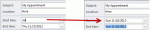
The scenario: you need to schedule 6 appointments in an "uneven" series, where each follow-up appointment has it's own schedule. For example, the first appointment is Day 1, the second is Day 3. The third appointment is in 2 weeks, the 4th in 6 weeks, then they are at 24 weeks, 12 months, and 24 months. Can Outlook do this type of schedule? Yes, but not using recurrences. … [Read more...] about Tip 1019: Using date shortcuts to create a series of appointments
appointments
Tip 999: Dragging message to Calendar creates a 1 minute appointments
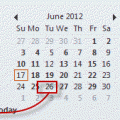
Problem: When you drag a message to a date in the navigation calendars in Microsoft Outlook 2010, the resulting meeting is only 1 minute long.This is a bug. In all other versions of Outlook, dragging a message to the navigation calendars opens a 30 minute appointment. Dragging the message to the calendar folder also results in a 30 minute appointment, although the date … [Read more...] about Tip 999: Dragging message to Calendar creates a 1 minute appointments
Tip 992: Using Time Shortcuts in Appointments
The answer to this question is one of my all time favorite Outlook features: date and time shortcuts. I use Outlook's Calendar for time tracking. Is there a way to automatically insert a start time and end time by clicking on a button? It's very laborious to have to manually enter the start and end time. I'm aware that I could use Journal, but Journal is worthless for other … [Read more...] about Tip 992: Using Time Shortcuts in Appointments
Tip 991: Ending a recurring series of appointments and keeping the exceptions
I've heard a lot of complaints from users over Outlook's poor handling of recurring appointments and meetings over the years, especially when it comes to ending a series early.At least Outlook warns you before you do something stupid:Exceptions occur either when you move an occurrence to another time or date or when you edit an occurrence.The recommended … [Read more...] about Tip 991: Ending a recurring series of appointments and keeping the exceptions
Tip 990: Appointments appear to be longer than scheduled
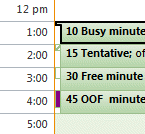
When you view Outlook's day or week calendar using a time scale larger than the appointment time (such as 30 minute appointments in a one hour time scale) the appointments will fill the entire time period and at first glance, are longer than they should be and may overlap. However if you look closer you'll see a small "pan handle" that indicates the true length of the … [Read more...] about Tip 990: Appointments appear to be longer than scheduled