![Diane Poremsky [Outlook MVP]](http://www.outlook-tips.net/images/2014/MVP_BlueOnly.png)

Today's tip is two handy macros that run when Outlook's reminders fire. Open a web page using a task reminder The first macro is triggered by Task reminders and loads a web page when the reminder goes off. With a little tweaking, you could use it to open almost any file type. To use, create a task with the web page url in the Subject field. Set the reminder time and … [Read more...] about Tip 985: Do 'something' when an Outlook reminder fires
appointments
Tip 963: Which Calendar does the To-Do Bar use?
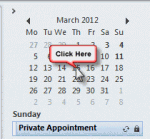
We get a lot of questions about missing appointments on the To-Do Bar appointment section:My To-Do Bar is not showing my appointments. Under my 'To-Do Bar' options everything is checked.In addition to missing appointments, some users complain that the wrong appointments are shown.This is always a problem when there is more than one calendar in the … [Read more...] about Tip 963: Which Calendar does the To-Do Bar use?
Tip 950: Appointments are received as plain text messages
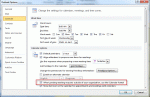
This is a fairly common problem for users who send meeting requests to Internet addresses. When we forward appointments to another employee, the employee receives a vcalendar attachment that opens as a Calendar entry on their copy of Outlook. When we send it to someone using POP3 email, the attachment is simply a forwarded email message, with the vcalendar text as the email … [Read more...] about Tip 950: Appointments are received as plain text messages
Tip 932:Setting Time Zones with Recurring Appointments
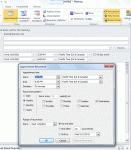
A new feature, introduced in Outlook 2007, allows the user to select the time zone for an appointments. This makes it easier to schedule appointments as you don't need ot use the dual time zone feature or think about what time it is halfway across the country or around the world. However, when you are working with recurring appointments, you need to set the time zone in the … [Read more...] about Tip 932:Setting Time Zones with Recurring Appointments
Tip 905: Location, Location, Location... Appointment Locations

Joseph asked a question about the Location field on appointments and meeting requests: "I set up an internal office meeting and there is an arrow for selecting the Location of the meeting. Now this may seem simple to most people, but a little confusing to me. How do I add our office conference rooms to the Location pull down?" You add the conference rooms by … [Read more...] about Tip 905: Location, Location, Location... Appointment Locations