![Diane Poremsky [Outlook MVP]](http://www.outlook-tips.net/images/2014/MVP_BlueOnly.png)
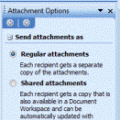
Sending digital pictures by email can result in huge message sizes which may be bounced by the sender or recipient's email server. To avoid problems, you should reduce the size of image attachments before you send them.While its easy to reduce the size of an image in any image editing program, including the Picture Manager that comes with Outlook 2003 and up, it takes a … [Read more...] about Tip 911: Resize Image Attachments
attachments
Tip 906: Opening Attachments Removes & and * from the Filename
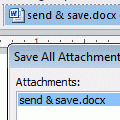
When a document with a filename containing either an ampersand or an asterisk character in it arrives attached to an email, the characters disappear from the filename when you open the attachment.An Outlook user had this to say: "When you first open the e-mail and see the attachment, the filename looks fine and has all its characters. However, when you open the … [Read more...] about Tip 906: Opening Attachments Removes & and * from the Filename
Using Outlook's Automatic Formatting
Microsoft Outlook has a feature called Automatic Formatting which lets you color items in a list, making them easier to see. While it's called an "automatic formatting rule" its not a Rule applied by the Rules Wizard but a feature of a View. The formatting is not applied directly to the item and will be "lost" if you move the item to a new folder or change the view. You can … [Read more...] about Using Outlook's Automatic Formatting
Tip 787: Edit and Save Attachments to an email
Outlook has a nifty feature (or design flaw, depending on who you talk to): you can open an attachment and edit it, then save it and the changes save to the original email message. (The feature was removed from Outlook 2010.) You had to work in this order:Open message Open attachment Edit attachment Save and close attachment Save and close message This sounds simple … [Read more...] about Tip 787: Edit and Save Attachments to an email
Tip 489: Insert as Text
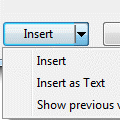
An Outlook user is trying to insert a Word document into an email, but Outlook wants to attach it to the email instead of being inserted into the message body as text.If all else fails, he could open the document and use copy and paste, but that’s not necessary. After selecting the document in the Insert dialog, click the little arrow on the Insert button and choose Insert … [Read more...] about Tip 489: Insert as Text