![Diane Poremsky [Outlook MVP]](http://www.outlook-tips.net/images/2014/MVP_BlueOnly.png)
Every now and again, we get asked if there is there a limit to the number of Automatic formatting rules. (Conditional Formatting in Outlook 2010)The question usually goes something like this:In Tools/Organize, you can choose a color to display a message from a specific sender when messages are received in Inbox. I'm getting the message: "You can not add another color … [Read more...] about Tip 877: Maximum number of automatic formatting rules
automatic formatting
Using Outlook's Automatic Formatting
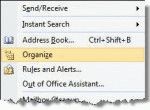
Microsoft Outlook has a feature called Automatic Formatting which lets you color items in a list, making them easier to see. While it's called an "automatic formatting rule" its not a Rule applied by the Rules Wizard but a feature of a View. The formatting is not applied directly to the item and will be "lost" if you move the item to a new folder or change the view. You can … [Read more...] about Using Outlook's Automatic Formatting
Create a custom view to list upcoming birthdays
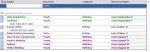
To display only the birthdays that occur in the upcoming months, you need to create a custom view. However, if you try to do it by the start date, you won't get the results you expect. Instead, you need to create a filtered table view that only shows items in the Birthday category and with a recurrence containing the names of the month. Separate each month with a comma, so the … [Read more...] about Create a custom view to list upcoming birthdays
Tip 689: Automatic Underlines
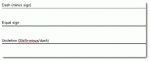
This is really a Word problem and since Word is also the Outlook email editor, I’ll mention this handy (and sometimes annoying) feature. A user asked: "When typing ==== then hitting return, Outlook puts in a double line. This line cannot be selected, formatted, or deleted. Turning borders off moves the line. Selecting all text before and after and hitting delete moves the … [Read more...] about Tip 689: Automatic Underlines
Tip 232: Color Messages Using Rules
I had a question about message rules in Outlook. In Outlook Express, I can create a message rule that highlights in color messages based on a criteria. I could not find this capability in the message rule tool of Outlook. Can Outlook do it? Outlook supports Automatic Formatting (called Conditional formatting in newer versions of Outlook), but does it using Views, not Rules. … [Read more...] about Tip 232: Color Messages Using Rules