![Diane Poremsky [Outlook MVP]](http://www.outlook-tips.net/images/2014/MVP_BlueOnly.png)
When you needed to find messages and other Outlook items associated with a contact in older versions of Outlook, you could use the Activities page on the contact see everything linked to that contact. However, Activities was removed from Outlook 2013. While the People Pane replaces some of the functionality of Activities, it is limited to the last 200 items (but that can be … [Read more...] about Tip 1098: Searching for messages from a contact
contacts
Tip 1088: Check for Duplicate Contacts
An Outlook user had this question:We have a list of contacts saved in an Excel file containing more than 100 contacts. Some of these names are already in Outlook. How can we import these without importing the duplicates?You can use one or more of these options:1. Turn on Outlook's option to check for duplicate contacts. It's in Contact Options and when enabled, it … [Read more...] about Tip 1088: Check for Duplicate Contacts
Tip 1084: Add to Contacts in Outlook 2013
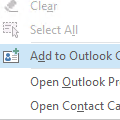
When reading or replying to an email I used to be able to right-click on a email address in the From or To fields and the context menu would give me an option to add that person to my Outlook Contacts. I used to use that all the time - a great time saver - but I don't see it in Outlook 2013?It's still there, but Add to Outlook Contacts is only visible if the contact does … [Read more...] about Tip 1084: Add to Contacts in Outlook 2013
Tip 1034: Sorting Contact Group members by name
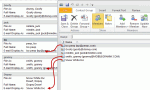
This seems to be the week everyone wants to sort the names in a Contact Group (distribution list) in a specific order, usually last name, first name format and it's not working.Contacts inserted into a Contact Group use the Email Display as format.By default, the Email display as field uses "Full Name (alias@domain.com)" format. But if you change the entry in the … [Read more...] about Tip 1034: Sorting Contact Group members by name
Tip 1026: Outlook, iCloud2 and the default data file

As of iCloud 2.1.1 (Dec 2012), the iCloud data file can't be set as default.The release of iOS6 brought iCloud2 and a better experience in Outlook. The iCloud doesn't work with Outlook 2013 yet (expect an update after Office 2013 is released to manufacturing and available to the general public), but users who wanted to set the iCloud data file as default get their wish, as … [Read more...] about Tip 1026: Outlook, iCloud2 and the default data file