![Diane Poremsky [Outlook MVP]](http://www.outlook-tips.net/images/2014/MVP_BlueOnly.png)
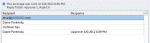
This question came in this week: We sent a message requiring everyone to vote. Now that everyone has voted, how do we post the results in an email to everyone? Well, there is always screenprint... fortunately you won't need it to share voting results. The responses are tallied at the top of the Tracking page and the table can be copied. You can select a single row, the … [Read more...] about Tip 995: Copying Outlook's Voting Results
Tip 985: Do 'something' when an Outlook reminder fires

Today's tip is two handy macros that run when Outlook's reminders fire. Open a web page using a task reminder The first macro is triggered by Task reminders and loads a web page when the reminder goes off. With a little tweaking, you could use it to open almost any file type. To use, create a task with the web page url in the Subject field. Set the reminder time and … [Read more...] about Tip 985: Do 'something' when an Outlook reminder fires
Tip 983: Using Autocorrect: When April is not April, May is not May
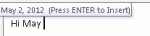
When April is not April 25, may is not May 10, and June is not June 3... The user's name is April and when she types her name as a signature at the end of an email in Outlook 2003 and hits ENTER, Outlook automatically changes April to April 25, 2012. How can I stop this? I've found similar behavior in Outlook 2010. You'll find the same behavior in Outlook 2007 and any version … [Read more...] about Tip 983: Using Autocorrect: When April is not April, May is not May
Tip 964: Managing "old" email accounts
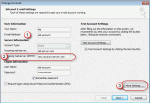
A visitor had a question about how to forward mail from an old account to another account. This is a fairly common question that comes up when people leave their employer, graduate, switch to a new ISP, or decide to make their life easier by using fewer email addresses. I have an email account I no longer use. I may still receive emails to that account for a few months. Can … [Read more...] about Tip 964: Managing "old" email accounts
Tip 950: Appointments are received as plain text messages
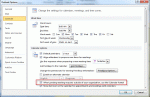
This is a fairly common problem for users who send meeting requests to Internet addresses. When we forward appointments to another employee, the employee receives a vcalendar attachment that opens as a Calendar entry on their copy of Outlook. When we send it to someone using POP3 email, the attachment is simply a forwarded email message, with the vcalendar text as the email … [Read more...] about Tip 950: Appointments are received as plain text messages