![Diane Poremsky [Outlook MVP]](http://www.outlook-tips.net/images/2014/MVP_BlueOnly.png)
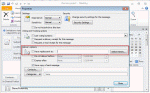
Would you like to have meeting responses sent to user who is not a Delegate?In Outlook 2010 (and up), you can use the option to direct replies to additional addresses. This option is available for email in all versions of Outlook but beginning with Outlook 2010, it's available for meeting requests too.When you direct replies to another user, both you and the other … [Read more...] about Tip 979: Send Meeting Responses to Another User
meetings
Tip 932:Setting Time Zones with Recurring Appointments
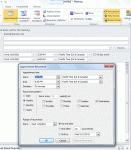
A new feature, introduced in Outlook 2007, allows the user to select the time zone for an appointments. This makes it easier to schedule appointments as you don't need ot use the dual time zone feature or think about what time it is halfway across the country or around the world. However, when you are working with recurring appointments, you need to set the time zone in the … [Read more...] about Tip 932:Setting Time Zones with Recurring Appointments
Tip 884: Prevent users from forwarding meeting invitations?

A reader had this question:How do I block the users I invite to my internet calendar on outlook from inviting other users? How do I keep control?Unfortunately for most users, you can't prevent invitees from forwarding invitations to others. You can request they ask permission first, and set a company policy that forbids forwarding invitations then punish users who … [Read more...] about Tip 884: Prevent users from forwarding meeting invitations?
Tip 874: Schedule multiple non-recurring appointments

A user recently asked about scheduling recurring appointments that don’t fit a recurrence pattern “Our company just started with Outlook and we have not been able to figure out how to schedule an appointment with multiple dates that are not a recurring date.”While this is a feature in other corporate mail systems, Outlook (and Exchange server) supports only recurring … [Read more...] about Tip 874: Schedule multiple non-recurring appointments
Identifying Outlook's Icons: More Icons

Microsoft Outlook uses a lot of icons throughout the program and it's hard to remember what each icon means. Help lists some icons but finding them is a daunting task for many users. On these next pages, you'll find all of the icons and a short description when needed. Mail | Calendar & Tasks | Contacts & Journal Rules & Alerts | Toolbars | More … [Read more...] about Identifying Outlook's Icons: More Icons