![Diane Poremsky [Outlook MVP]](http://www.outlook-tips.net/images/2014/MVP_BlueOnly.png)
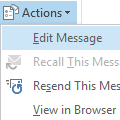
A frustrated user (one of many over the last few days) received photos by email but the attached images need rotated 90 degrees to be viewed correctly. He wants to rotate the pictures and save the rotated image back to the message in Outlook, so the next time he views it, it won't need rotated again.I'm trying to rotate a picture attachment and save it so I can see it in an … [Read more...] about Tip 942: How to Rotate Photos Attached to an Outlook Email Message and Save the Changes
outlook 2007
Tip 932:Setting Time Zones with Recurring Appointments
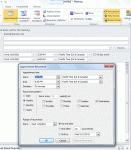
A new feature, introduced in Outlook 2007, allows the user to select the time zone for an appointments. This makes it easier to schedule appointments as you don't need ot use the dual time zone feature or think about what time it is halfway across the country or around the world. However, when you are working with recurring appointments, you need to set the time zone in the … [Read more...] about Tip 932:Setting Time Zones with Recurring Appointments
Tip 911: Resize Image Attachments
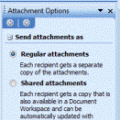
Sending digital pictures by email can result in huge message sizes which may be bounced by the sender or recipient's email server. To avoid problems, you should reduce the size of image attachments before you send them.While its easy to reduce the size of an image in any image editing program, including the Picture Manager that comes with Outlook 2003 and up, it takes a … [Read more...] about Tip 911: Resize Image Attachments
Tip 901: Another Sorting Tip

Following last week's tip on sorting tasks, James offered: "This also makes me think it could be worth mentioning to people when you want to sort by 1 column, you can just click the column header. To sort by more than one column, most users will probably go to customize view, but holding shift and clicking a second column is way easier." Ah, yes, all the little tricks we … [Read more...] about Tip 901: Another Sorting Tip
550 5.7.1 Relaying denied: You must check for new mail before sending mail.
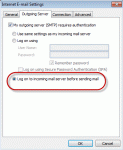
If you receive this error message: 550 5.7. < alias@domain.com >... Relaying denied: You must check for new mail before sending mail. You need to configure Outlook to check for new mail before sending mail. Lowering your "check every xx minutes" time to 8 minutes or disabling Send Immediately may reduce the frequency of this error message. This error occurs because … [Read more...] about 550 5.7.1 Relaying denied: You must check for new mail before sending mail.