![Diane Poremsky [Outlook MVP]](http://www.outlook-tips.net/images/2014/MVP_BlueOnly.png)
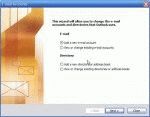
Outlook 2002/2003 and Outlook 2000/98 in Corporate/Workgroup mode allow you to have as many profiles as you want. Generally, we recommend one profile per computer user (creating a Windows user account for each user is best, especially if you use Windows XP, but more hassle if you use Windows 98/ME). If you use Outlook for personal and business email, you'll probably want two … [Read more...] about Create a new Outlook 2002 or Outlook 2003 Profile
profiles
How to create a "No Mail" Account in Outlook
Many users prefer using another email client for email but want to use Outlook for calendar and tasks. To avoid problems, such as Outlook downloading mail and deleting it from your mail server, it's generally better to create a "no mail" profile. In Outlook 2016 and newer, you need use use the command line switch, /PIM, to start Outlook with a new, no mail, … [Read more...] about How to create a "No Mail" Account in Outlook
Open an existing personal data file (*.pst) in Outlook
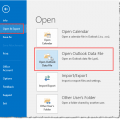
If you have an old pst or an old archive pst and you want to view your old email, you can open it in your Outlook profile. Do not use File, Import and Export menu, especially if it's an Archive pst - you may end up with duplicates and will not be able to remove them using Autoarchive (because archive uses the modified date and importing changes the modified date). Just … [Read more...] about Open an existing personal data file (*.pst) in Outlook
Tip 698: Moving Outlook to a New Computer
For step by step instructions and a video tutorial, see Moving Outlook to a New Computer Upgrading to a new computer often causes headaches for users. While I have several pages with instructions on both slipstick.com and outlook-tips.net, its spread over several pages. I now have step by step instructions for users moving Outlook data to an new computer – all on one page. … [Read more...] about Tip 698: Moving Outlook to a New Computer