![Diane Poremsky [Outlook MVP]](http://www.outlook-tips.net/images/2014/MVP_BlueOnly.png)
A reader asked about printing email and attachments as messages arrived in the Inbox:"Is there a program that when a e-mail arrives in Outlook that it will print it out? Or one that prints the attachments all of them at once? Instead of opening the e-mail and then one by one opening and print the attachment?"Newer versions of Outlook support printing email using rules … [Read more...] about Tip 247: Printing emails
rules
Tip 211: Create a 'Sender is NOT in the Address Book rule'

"I am looking for an addition to Outlook XP that instead of adding a rule that says sender in a specified address book, but it says sender is NOT in specified address book. This would work for me to block or handle spam. "You can do it one of two ways:Create a rule to do something with all messages from people in the address book, such as move to the Inbox, and add a … [Read more...] about Tip 211: Create a 'Sender is NOT in the Address Book rule'
Tip 194: Filter by Attachment Types
After reading yesterday's tip, Tony asks Do you know of a way of filter out messages which contain an attachment of a given name (alert.txt)? You can use Rules Wizard for this, however it's not foolproof and misses some attachments that are embedded in the messages. Create a rule that looks for words in the header and use the filename or extension. If you use just … [Read more...] about Tip 194: Filter by Attachment Types
Tip 193: Filter Messages with Blank Subject Lines

A frequently asked question is "How do I filter out messages with blank subject lines?" The short answer is "You can't. Outlook doesn't offer an option to filter on 'nothing'." But not all is lost - you can create a rule to filter everything and create an exception for subjects containing a, e, i, o, or u. Start with a new blank rule but don't select a condition. You'll … [Read more...] about Tip 193: Filter Messages with Blank Subject Lines
Tip 160: This Machine Only Rule
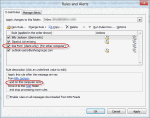
When you create a rule in Outlook 2003 (and up), it's often marked 'For this machine only' (or "this computer only" in later versions) this means the rule is a client side rule and will only run on the machine it was created on. This prevents rules from being automatically disabled when the rule fails after opening an Exchange mailbox from another computer. Since POP3 and … [Read more...] about Tip 160: This Machine Only Rule