![Diane Poremsky [Outlook MVP]](http://www.outlook-tips.net/images/2014/MVP_BlueOnly.png)

Outlook contacts have (or had) a feature called Activities that show all Outlook items associated with a contact. This feature was depreciated and is more or less broken in Outlook 2010; it's removed completely from Outlook 2013. The replacement is the people pane in the Social Connector.While I like the people pane search, it's limited in that it only displays 200 … [Read more...] about Tip 1054: Search for all messages from a contact
search
Tip 1039: Searching Outlook in Windows 8
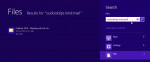
One of my favorite features in Windows 7 was the Start menu search field. It could find anything, fast. Including email, contacts, messages stuck in the Outbox... Just as we've all gotten used to using it, Microsoft puts a stop to it. No, not because they removed the Start menu. I can live with that.They messed up search. Outlook items are no longer included in the search … [Read more...] about Tip 1039: Searching Outlook in Windows 8
Tip 943: Search for Email Sent To or From a Domain
An Outlook user asked how to create a search for a messages sent to or from a domain (eg "@company.com") and include not only email sent to and from himself, but also messages that he was CC'd on.There are three options which will work to varying degrees:1. A search folder. Choose the 'To or From' predefined search folder and type the domain (microsoft.com format will … [Read more...] about Tip 943: Search for Email Sent To or From a Domain
Tip 919: Search Tools Ribbon is Missing
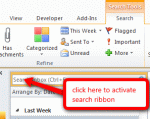
An Outlook user wondered what happened to his search ribbon: "I want to get the Search tools ribbon back. I have ribbons showing for everything except Developer and Search. I enabled the Developer ribbon, however, the Search ribbon won't display when I enable it under Outlook options, Customize Ribbon pane. The Main Tabs section does not have Search Tools listed, and under … [Read more...] about Tip 919: Search Tools Ribbon is Missing
Tip 914: Change Advanced Search 'Search subfolders' setting?
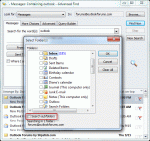
A popular question the past couple of weeks asks about the Advanced find option to search subfolders:Each time I start an Advanced search I must select the option to "Search subfolders". Is it possible to make this the default?Sorry, no, you can't set "Search Subfolders" as default in the Advanced find dialog. You'll need to select it each time or use Instant … [Read more...] about Tip 914: Change Advanced Search 'Search subfolders' setting?