![Diane Poremsky [Outlook MVP]](http://www.outlook-tips.net/images/2014/MVP_BlueOnly.png)
In Outlook 2003 (and earlier), using the "Find" command its possible to search on multiple items such as "Johnson, Smith, Jones" and the comma acts as the OR condition.Windows 8 does not include Outlook 2013 items in it's search index. If using Outlook 2010 and older, Outlook items may be listed in Search again in, in the Windows Explorer search ribbon.While the comma … [Read more...] about Tip 896: Searching with the OR operator (and other search syntax)
search
How to Rebuild Outlook's Search Index

If your search index is corrupt or you suspect it's corrupt, you can easily rebuild the index. There are several ways to access the Indexing options dialog: From Windows, go to the Control panel and look for "Indexing options", or start typing indexing options in the Start Search field if using Windows 7 and Vista or on the Start Screen in Windows 8. Press Enter when it … [Read more...] about How to Rebuild Outlook's Search Index
How to do a Boolean Search in Outlook
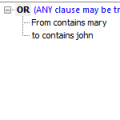
The find dialog in Outlook 2003 and earlier does not support "AND" searches. Multiple words are searched using the "OR" operator. However, you can do a Boolean search with the AND operator using Advanced find. This same method works with Views (for Filters and Automatic formatting) and Search folders (Outlook 2003/2007/2010). First you need to enable QueryBuilder by adding … [Read more...] about How to do a Boolean Search in Outlook
Tip 810: Outlook's Address Book Search
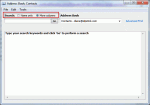
An Outlook user had this complaint: "I used to click on the address book icon and the address book would open to a nice listing of my contacts. Now I get a search box requiring me to enter a search term. How do I get my old address book format back?" Type your search keywords and click "Go" to perform a search At the top of the address book dialog are two … [Read more...] about Tip 810: Outlook's Address Book Search
Tip 684: Search for Duplicates
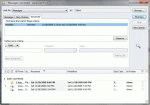
“I exported the personal file folders from my desktop and imported them into my laptop. Now I have many duplicate messages. Obviously I did not select the correct option. How do I remove them other than one at a time?” You could a duplicate remover, but for imports, where the last modified date is going to be very close and no new mail was … [Read more...] about Tip 684: Search for Duplicates