![Diane Poremsky [Outlook MVP]](http://www.outlook-tips.net/images/2014/MVP_BlueOnly.png)
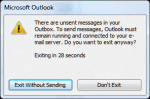
When you create a message and set the option to not send it until a future date, you'll always get a message when you close OutlookAre you sure you want to exit without sending messages?While it may be clear to you that there is a message waiting to be sent days later, the close process has no way of knowing how far out the message is scheduled for, so it pops up … [Read more...] about Tip 912: Do you want to exit without sending messages?
send & receive
Will Outlook warn me if mail is stuck in the outbox?
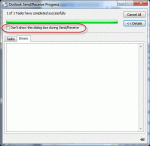
A user has a problem: he often sends large messages and they often get stuck in the Outbox. He forgets to check the Outbox and would like a warning message when messages won't send. You will not get a dialog that says 'hey, something is wrong and the message didn't send' but you can get some warnings, plus the Outbox shows the message count. Add it to your Favorites section … [Read more...] about Will Outlook warn me if mail is stuck in the outbox?
Use existing data file as the delivery location
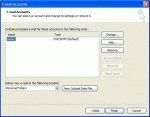
When you create a new profile or set up a new computer, you'll want to access your old email in Outlook. While you can use the File, Import and Export menu, we don't recommend it - you'll lose any custom forms or custom views you might have, along with a few other things. Outlook 2007 and Outlook 2010 There are two ways to add an existing data file to a profile in … [Read more...] about Use existing data file as the delivery location
Automatically Check for Email in Outlook
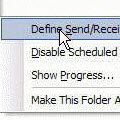
How can I get Outlook to automatically send and receive when I open the program? I have to press F-9 or go to the menu bar TOOLS/SEND AND RECEIVE. The method is the same for all versions of Microsoft Outlook. You need to browse to Tools, Send and Receive, Send /Receive Settings and find Define Send and Receive Groups or, for a faster keyboard shortcut, press Ctrl+Alt+S … [Read more...] about Automatically Check for Email in Outlook
What is the SRS file? (And where is it?)

I frequently tell people to "delete the SRS" to fix problems with send and receives, especially when Outlook crashes when they try to view the Send and Receive menu or do a send and receive. If you haven't guessed yet, SRS is the send and receive settings file. It holds the configurations found in the Send and Receive dialog that comes up when you press Ctrl+Alt+S. I have no … [Read more...] about What is the SRS file? (And where is it?)