![Diane Poremsky [Outlook MVP]](http://www.outlook-tips.net/images/2014/MVP_BlueOnly.png)
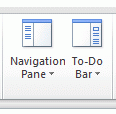
In Outlook 2007 and Outlook 2010, you can use Alt+F1 to toggle the Navigation pane and Alt+F2 to toggle the To-do bar. The panes roll between Minimized, Off, and Normaleach time you press the key combination.In Outlook 2013, Alt+F1 will roll through the Navigation pane layout: Off, Minimized, and Normal. Outlook 2013 does not have a To-do bar and the shortcuts do not work … [Read more...] about Tip 487: Turn Navigation Pane and To-Do Bar off and on
shortcuts
Tip 481: Outlook 2007 Passwords Won't Save
If you installed Outlook 2007 on Vista and are having problems with the password not getting saved, type (or paste) shell:dpapiKeys in either Start Menu, Run command or in the Start Search field of the Start menu. Rename the key (it begins with S-1-5-21) and restart Outlook. You’ll lose any passwords that might be there. (Passwords are stored in hidden system files in … [Read more...] about Tip 481: Outlook 2007 Passwords Won't Save
Tip 206: Create links to folders
"I would like to be able to link a folder to a contact in outlook. I have been able to place a shortcut (or hyperlink) to particular files but I want a shortcut to a folder in the contact notes section. Is this possible?" Windows folder or Outlook folder? Outlook folder: Show the Web toolbar – select the folder and look in the address field of the toolbar. Copy and paste … [Read more...] about Tip 206: Create links to folders
Tip 48: Go To Date
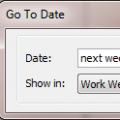
You can move around the calendar easily using Outlook's Go To Date Feature. Open Go To Date using Ctrl+G, from the Go menu or by right clicking on the Day/Week/Month Calendar and choosing Go To Date. Enter the date and the calendar format you want to view it in - one day, work week, week or month.Like many of Outlook's date fields, Go To Date accepts shortcuts including … [Read more...] about Tip 48: Go To Date
Tip 26: Changing the Default Attachment Directory
Outlook always uses the My Documents folder as its initial Look in location when you save or send attachments. While utilities exist that can change the location, the changes apply to all programs that use the My Documents folder.Instead of browsing to the folders you use often, add it to the Places bar (Office 2000 and up) and the folder is just one click away.Browse … [Read more...] about Tip 26: Changing the Default Attachment Directory