![Diane Poremsky [Outlook MVP]](http://www.outlook-tips.net/images/2014/MVP_BlueOnly.png)
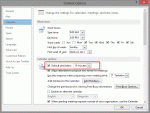
With the holidays approaching and with what seems like everyone taking the last week of the year off, it's a good time to review Outlook's reminder settings.There are several different methods you can use to disable reminders, depending on what your goal is.Do you want to stop adding reminders to new appointments and meetings?If so, you can turn reminders off in … [Read more...] about Disable reminders in Microsoft Outlook
tasks
Tip 1026: Outlook, iCloud2 and the default data file

As of iCloud 2.1.1 (Dec 2012), the iCloud data file can't be set as default.The release of iOS6 brought iCloud2 and a better experience in Outlook. The iCloud doesn't work with Outlook 2013 yet (expect an update after Office 2013 is released to manufacturing and available to the general public), but users who wanted to set the iCloud data file as default get their wish, as … [Read more...] about Tip 1026: Outlook, iCloud2 and the default data file
Tip 1007: Next Week flag reminder time bug?
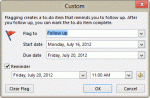
A question came up about a bug in Outlook 2010's Next week flag. An article at Office Online says the reminder on Next Week flags is the first day of the work week. But the user noticed his reminder was set for the last day of the work week. He wanted to know if the article was wrong or if this was a bug. When I tested it, the behavior in the article was correct: when I … [Read more...] about Tip 1007: Next Week flag reminder time bug?
Tip 1003: Default Start and Due Dates for Tasks
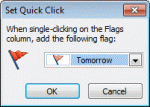
I've written about Tasks and default reminders at least once or twice, but this bears repeating: The default you choose for Quick Click affects the default reminder date and time, as well as the default start and due dates. How you create the new task form plays a part too, even which folder you are looking in when you type in the new item row makes a difference. How do you … [Read more...] about Tip 1003: Default Start and Due Dates for Tasks
Tip 992: Using Time Shortcuts in Appointments
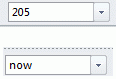
The answer to this question is one of my all time favorite Outlook features: date and time shortcuts. I use Outlook's Calendar for time tracking. Is there a way to automatically insert a start time and end time by clicking on a button? It's very laborious to have to manually enter the start and end time. I'm aware that I could use Journal, but Journal is worthless for other … [Read more...] about Tip 992: Using Time Shortcuts in Appointments