![Diane Poremsky [Outlook MVP]](http://www.outlook-tips.net/images/2014/MVP_BlueOnly.png)

Today's tip is two handy macros that run when Outlook's reminders fire. Open a web page using a task reminder The first macro is triggered by Task reminders and loads a web page when the reminder goes off. With a little tweaking, you could use it to open almost any file type. To use, create a task with the web page url in the Subject field. Set the reminder time and … [Read more...] about Tip 985: Do 'something' when an Outlook reminder fires
tasks
Tip 958: Display Task Status in the To-Do Bar
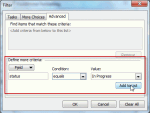
Tasks in the To-Do Bar are the subject of a lot of questions about how to control what tasks are visible. Is it possible to display the Status of a Task as an icon in the To-Do bar? I would like to mark tasks that are currently "Deferred" or "Waiting on someone else", so that one can immediately recognize their Status. Sure. Create a custom view and apply automatic formatting … [Read more...] about Tip 958: Display Task Status in the To-Do Bar
Tip 949: Reminders and Tasks in Other Data Files
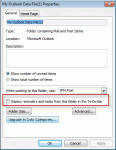
We had two questions about tasks, reminders, and flags recently. One used wanted to know how to prevent reminders and flags from his archive pst file from displaying while the other user wanted to know how to make the reminders show. I get a lot of emails and my pst files are very large (12-17GB) with just the email I get during one year. So at the end of each year I make a … [Read more...] about Tip 949: Reminders and Tasks in Other Data Files
Tip 936: Hide Completed Tasks in Outlook Today
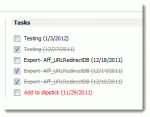
An Outlook user wanted to know how to remove completed Tasks from the Outlook Today screen. Obviously, deleting the tasks will remove them from Outlook Today, but if you want to keep the task, you can give it some time as the completed tasks are removed automatically as they age. Tasks completed "today" will display on Outlook Today for the rest of the day, disappearing … [Read more...] about Tip 936: Hide Completed Tasks in Outlook Today
Tip 935: Dismissing Reminders on Recurring Tasks

With the holiday season beginning, I thought it would be a good time to share this tip. A user on our Outlook-users mailing list asked how to prevent reminders from disappearing from tasks: I have several daily reminders of various tasks I have to do. What normally happens after I return from a vacation, is Outlook will pop up a reminder for the first day I miss, but … [Read more...] about Tip 935: Dismissing Reminders on Recurring Tasks