![Diane Poremsky [Outlook MVP]](http://www.outlook-tips.net/images/2014/MVP_BlueOnly.png)
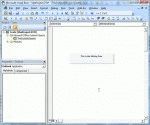
So you found some code on the Internet that you think might do what you need done. But how do you use it? First you need to open the VBA Editor by pressing Alt+F11. Expand Microsoft Outlook Objects Double click on ThisOutlookSession to open it in the editing pane on the right side. Paste (or type) the code sample into ThisOutlookSession. Press F5 or the Run … [Read more...] about How to use VBA code samples in Outlook
vba
Signing Outlook Macros using SelfCert.exe
Note: You should only use a self-signed certificate for personal use. To increase your level of security and eliminate annoying dialogs, you should only used signed macros with Microsoft Outlook (or other Office applications). To make it easier for users who write macros for their own use, Microsoft provides an application you can use to create a personal certificate for … [Read more...] about Signing Outlook Macros using SelfCert.exe
Tip 542: Change File As Format
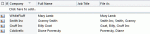
If your contacts use different File As formats and you’d like to have all contacts use a single format but opening each contact to change the FileAs will take more time that you want to spend on it, you can use VBA to change the File As format on all contacts within minutes. A code sample (tested with Outlook 2002, 2003, 2007, and 2010) is available at Bulk Change File … [Read more...] about Tip 542: Change File As Format
Tip 528: Sort By Category

Many users are surprised when they discover they can’t sort by category. It is possible to sort by category but you need to use the By Category view, and sort the groups by name.Outlook's Categories work this way because the category field can contain multiple categories (and few would want to sort by the first category only), while each group is made up only of items in … [Read more...] about Tip 528: Sort By Category