![Diane Poremsky [Outlook MVP]](http://www.outlook-tips.net/images/2014/MVP_BlueOnly.png)
Today's tip is a repeat – it last ran about 5 years ago and two recent questions about excluding words from the spell checker tells me it’s long past time to remind people about this little known feature. Many people are unaware that the Office spell-check offers an "exclude dictionary" you can use when the dictionary contains words that you want to be flagged as misspelled. … [Read more...] about Tip 665: Exclude Dictionary
Tip 664: Lock views
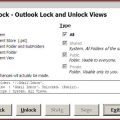
It’s very easy to accidentally change a customized view and a popular request is the ability to lock the views to prevent this. Unfortunately locking views is not possible. The best way to protect your view is by making a copy. When the copy gets messed up, delete it and make a new copy. Update: Outlook 2010's Object Model supports locking views. See View.LockUserChanges … [Read more...] about Tip 664: Lock views
Tip 663: Error in the To-Do Bar
We’re getting a lot of reports of errors in the To-do Bar’s tasks list: "The operation failed. An object could not be found." The fix is to close Outlook and restart it using the /resettodobar switch. At Start menu, Run (Windows Key + R) type Outlook.exe /resettodobar See https://www.outlook-tips.net/beginner/switches.htm for help using … [Read more...] about Tip 663: Error in the To-Do Bar
Tip 662: Recur every 12 years
This is another calendar sync bug or maybe it’s another ‘no end date’ bug – this time All day events that recur yearly are changed to recur every 12 years. It seems to be related to ActiveSync, Outlook 2007 SP2 and all day events with no end date, possibly affecting only users who sync their mobile device with two computers. If your calendar is affected by this bug, … [Read more...] about Tip 662: Recur every 12 years
Tip 661: Could not find an Editor for H(.) files
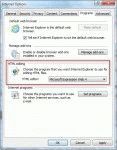
When a problem starts coming up often, it usually means it's time for a tip addressing it. The problem:I want to insert an image into my signature. When I click Advanced Edit I then click yes on using another editor. I get an error saying it can't find an editor for "H(.) files" . Help!Go to Control Panel, Internet Options, Programs tab and change the … [Read more...] about Tip 661: Could not find an Editor for H(.) files