![Diane Poremsky [Outlook MVP]](http://www.outlook-tips.net/images/2014/MVP_BlueOnly.png)
To Send and receive messages automatically when Outlook 2002/2003 starts and periodically while it's open, go to Tools, Send/Receive, Send/Receive settings, Define Send/Receive and add a check to the box to Schedule an automatic send/receive every 5 min. We recommend that you raise the minutes to 8 - 10, especially if you have more than one email account configured in … [Read more...] about Tip 277: Automatically Send and Receive
Tip 276: Display Inline Images
One thing that really bugs former Outlook express users when they switch to outlook is the lack of inline display of images in the preview pane. There is not a setting you can enable to display images inline - Outlook does not support it. You can use VBA to create a picture viewer so it's easier. See View Attached Images in the Message, not as Attachments for the VBA code … [Read more...] about Tip 276: Display Inline Images
Tip 275: Blocking Email Addresses
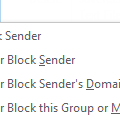
This seemingly obvious query comes up quite frequently:When you add an address to your blocked list does the sender receive any notification that this has been done next time they send you a message?No. Outlook just moves it to the junk email folder.Surprisingly, many people want Outlook to notify the sender that their message was disposed of unseen. I'm not sure … [Read more...] about Tip 275: Blocking Email Addresses
Tip 274: Change attachment Open or Save dialog options
If you check the box to always open an attachment in the Open or Save dialog and later decide to change the behavior, you need to edit the file type in Windows Explorer. Open Windows Explorer and go to its Tools, Folder Options, File Types. Select the file type from the list. (Tip: the columns are sortable.) Click the Advanced button. Add a check to the box to Confirm … [Read more...] about Tip 274: Change attachment Open or Save dialog options
Tip 273: Adding Folders to Favorite Folders
The Favorite folder list is useful for Search Folders you've created and puts them one click away, not buried at the end of the folder list. You can add any mail or post folder to Outlook 2003's Favorite Folders list by right clicking on the folder and choosing Add to Favorite Folders or just drag it to the Favorites area. Exchange server users: You can add Public folders … [Read more...] about Tip 273: Adding Folders to Favorite Folders