![Diane Poremsky [Outlook MVP]](http://www.outlook-tips.net/images/2014/MVP_BlueOnly.png)
After getting a new mouse, using a different computer, or watching someone else work, you may notice their mouse has different scroll behavior in Outlook than yours. This is most often because one of the mice is from Logitech. For some reason, the Logitech drivers don't support the "Office scroll" which allows you to scroll the message lists or reading/preview pane.You can … [Read more...] about Tip 151: Mouse Scrolling
Tip 150: Note Field Fonts
Do you want to change the font in the Notes field in Outlook forms? It's the same font used in plain text messages. Look for the compose plain text font setting in Tools, Options, Mail Format, Fonts. … [Read more...] about Tip 150: Note Field Fonts
Tip 149: Deferred Delivery
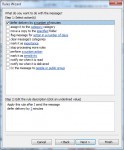
Do you sometimes wish you could take back the message? While Recall doesn't work very well, you can delay each message a few minutes just in case you change your mind.Outlook has two options for deferring delivery - setting a rule to hold the mail for xx minutes and selecting a date and time for delivery in the options dialog of a message. Create a rule to hold messages … [Read more...] about Tip 149: Deferred Delivery
Tip 148: Tracking E-mail?
"Is there any way in Outlook, besides the tracking feature, to see how many people opened an email?In Groupwise we had a feature in the Sent Items folder where we could click on properties and see: How many people the email was sent to. How many opened. How many replied. How many deleted. Would love to know how to do this in Outlook (tracking does not seem to fit the … [Read more...] about Tip 148: Tracking E-mail?
Tip 147: Using Outlook's Autocomplete Cache
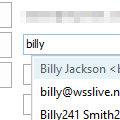
When sending an email to a person you can type in the first few letters in the TO: area and the name will automatically appear from cache names. Is there a way to clear the cache of names from automatically appearing in the TO...?Beginning with Outlook 2002, Outlook added the Autocomplete feature to remember frequently used addresses. When you send a new message or reply to … [Read more...] about Tip 147: Using Outlook's Autocomplete Cache