![Diane Poremsky [Outlook MVP]](http://www.outlook-tips.net/images/2014/MVP_BlueOnly.png)
If you don't like receiving HTML formatted messages, you can easily force them to plain text if you use Outlook 2002-SP1 or later. In older versions of Outlook, you need to use VBA to convert messages to plain text. In Outlook 2003 and up, go to Tools, Options, Preferences, E-mail options and check the option to read all mail as plain text. You can switch messages to HTML by … [Read more...] about Tip 140: Read as Plain Text
Tip 139: Applying a View to All Folders
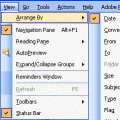
Today's Question:"I can create a custom view, but can't find a way to apply it to all folders other than on a one-by-one basis. Is there a way to apply the view to all folders at one time?"Unfortunately you can't apply new views to a group of folders. The only option is to customize the Messages view and it will apply to all folders still using the Messages view. For … [Read more...] about Tip 139: Applying a View to All Folders
Tip 138: Using OR Operator
Search for messages to or from multiple people by using the OR operator in the To and From field in the Advanced Find's first tab. You can substitute a comma for OR. From: microsoft.com or cdolive.com From: microsoft.com, cdolive.com Notes: Also works with Automatic Formatting, Views, and Search Folders (OL2003) dialogs. You can use the OR operator or comma in many … [Read more...] about Tip 138: Using OR Operator
Tip 137: Apply Custom Forms to Existing Items
Yesterday I told you how to use a custom form to save the Journal field checked. This trick also works for Private and other fields (as does in-cell editing from the earlier tip). If you make a custom form to set the Journal or other fields for new items you really don't need to change the existing messages to use the custom form, but if you want to, the easiest way is with … [Read more...] about Tip 137: Apply Custom Forms to Existing Items
Tip 136: Set Journal Flag in Custom Form
Last week I told you how mark the contacts you wanted to journal from the contacts folder, but if you plan to journal every contact you'll want to create a custom form with the journal field set. Look for the Journal field on the All Fields tab of a new journal item. Type Yes over the No. Publish it to the Contacts folder. Right click on the Contacts folder and choose … [Read more...] about Tip 136: Set Journal Flag in Custom Form