![Diane Poremsky [Outlook MVP]](http://www.outlook-tips.net/images/2014/MVP_BlueOnly.png)
Outlook 2003 includes a junk e-mail filter and a safe list which allows all entries in your address book to bypass the junk filter. Each address is parsed into a registry key, where the junk filter reads the addresses. If you have a lot of addresses or only want to allow some of your contact's to be on the safe list, you can add their addresses to the safe list by right … [Read more...] about Tip 21: Using Safe Lists
Tip 20: Check Names
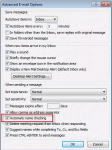
When you disable name checking (autoresolution) in File, Options, Mail, Outlook will still resolve the names, but not immediately.You'll need to press Ctrl+K to force autoresolution at any time before sending the message; otherwise Outlook will always resolve the address when you send the message. If a match isn't found, you'll be asked to pick names using the Check Names … [Read more...] about Tip 20: Check Names
Tip 19: Resolving Addresses
When you have multiple address lists, you can control the order Outlook searches them. This is important, since Outlook stops searching additional address lists once it finds a match (or matches) in an address list. Open the Address book's Tools, Options dialog. Change the order Outlook uses to check names in the bottom field. Use this dialog to change the address list shown … [Read more...] about Tip 19: Resolving Addresses
Tip 18: Using AutoResolution
Many people are in the habit of clicking the To: button on a message form to pick names when they send messages, instead of taking advantage of Outlook's autoresolution capabilities. Enter part of a name in the To, CC, or BCC fields and Outlook resolves the name to an address in your address book. When Outlook finds an exact match, it resolves the name and underlines it with … [Read more...] about Tip 18: Using AutoResolution
Tip 17: Avoid using Import and Export

Avoid using Import and Export to move or copy items to a PST.Why? Because Import and Export only moves the Outlook items - messages, contacts, tasks, appointments, journal, or notes - not special items like Views and Forms.Import and Export also breaks the link between items and their associated contact. Use Move to retain the links.Create a new PST using File, … [Read more...] about Tip 17: Avoid using Import and Export