![Diane Poremsky [Outlook MVP]](http://www.outlook-tips.net/images/2014/MVP_BlueOnly.png)
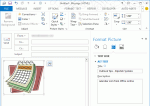
An Outlook user had a question about Outlook templates adding unexpected words to the message, which displayed in desktop alerts and the 3 line preview.I use .oft files frequently to send customer email messages. After I send these out to recipients, the messages appear in Outlook's Inbox with a series of "Description: Description: Description:" appearing below the subject … [Read more...] about Tip 1031: Use Alt tags on images in templates
Tip 1030: When sorting items in a folder doesn't work as expected
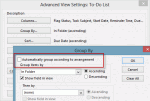
Twice this week users asked how to create a view that sorted the items in a folder way they wanted to sort them.The first person wanted to group tasks by the folder they were in then sort by due date within the group. The other person wanted to sort contacts by icon. Both users had problems creating their views.The cause of their problem was Outlook's setting to group … [Read more...] about Tip 1030: When sorting items in a folder doesn't work as expected
Tip 1029: Strange characters in email?

This is a fairly common question, although I see it a lot less these days, thanks to the widespread use of Unicode.Why do we get these characters à replacing text in email messages?This happens most often when you use characters supported by Word's "smart quotes" feature, typically affecting apostrophes, double quotes, dashes, and ellipsis. The character is … [Read more...] about Tip 1029: Strange characters in email?
Tip 1028: Copying Outlook data to another user
A manager wanted to know how to transfer all Outlook data to a new assistant.I have a new assistant. I want to duplicate all of my old assistant's info in Outlook into the new assistant's Outlook. What is the best way to do this. I want Contacts, Email, Calendar and To-Do list. I also want to copy the way her Inbox looks.This is actually really easy to do when you … [Read more...] about Tip 1028: Copying Outlook data to another user
Tip 1027: How to uninstall Office 2013 Preview
If you tried to uninstall the Office 2013 Preview and it did not properly uninstall or it left a lot of bits lying around, Microsoft has a an uninstaller for the Click to Run version. They also have instructions for anyone who prefers to uninstall Office 2013 themselves.Details can be found at How to uninstall or remove the Microsoft Office 2013 Preview suitesAfter … [Read more...] about Tip 1027: How to uninstall Office 2013 Preview