![Diane Poremsky [Outlook MVP]](http://www.outlook-tips.net/images/2014/MVP_BlueOnly.png)
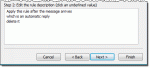
A new Outlook user wanted to know if Outlook handles Out of Office replies as well as Lotus Notes does: I migrated from Lotus Notes to Microsoft Outlook. In Notes, when you send an email you have the option for the following "Don't notify me if recipient(s) are running Out of Office" This obviously works for Internal email only and is great if you're emailing a large … [Read more...] about Tip 980: Filtering Out of Office Automatic Replies
Tip 979: Send Meeting Responses to Another User
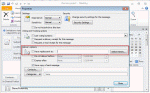
Would you like to have meeting responses sent to user who is not a Delegate?In Outlook 2010 (and up), you can use the option to direct replies to additional addresses. This option is available for email in all versions of Outlook but beginning with Outlook 2010, it's available for meeting requests too.When you direct replies to another user, both you and the other … [Read more...] about Tip 979: Send Meeting Responses to Another User
How to move Contacts from Outlook to Outlook.com

Today's tip is one that I thought everyone already knew how to do, but today I had questions from two people struggling with moving contacts to Outlook.com (Hotmail), so it looks like I was wrong.If the contacts are in Outlook there is no need to export to a CSV file and import the contacts using Outlook.com online. Install the Outlook Connector or create the account in … [Read more...] about How to move Contacts from Outlook to Outlook.com
Tip 975: Undo Preface Comments (Mark My Comments)

An Outlook user had a question about the preface comments feature (mark my comments in older versions). He really likes using it, but when he corrects a misspelled word or makes a minor change that does not need to be prefaced with his name, Outlook adds it anyway. He wondered if he could turn the feature off "on the fly". No, it can't be turned off and on "on the … [Read more...] about Tip 975: Undo Preface Comments (Mark My Comments)
Tip 974: Using shortcuts to create new Outlook items
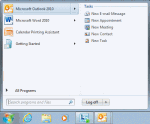
I'd like to have a shortcut in my system tray or sidebar in Windows 7 so I can create a new appointment without opening Outlook. Is this possible?Of course, its possible.You can take the easy route and use QuickIcons. This application works with all versions of Outlook to create shortcuts in the Quick Launch toolbar, which you can move or pin to the start menu or … [Read more...] about Tip 974: Using shortcuts to create new Outlook items