![Diane Poremsky [Outlook MVP]](http://www.outlook-tips.net/images/2014/MVP_BlueOnly.png)
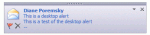
A user asked: I'm using a rule to move messages to a particular folder. When the rule moves messages, I can't see the the popup (Email notifier) which normally comes on the right side of the desktop when I get new mail. How can I see the notifier for messages I move? Those notifiers are called Desktop Alerts or "blue toast" and you can display them using the … [Read more...] about Tip 968: Display New Message Alert using Rules
Tip 967: How to View Email in a Browser
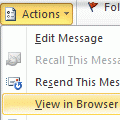
Outlook doesn't display animated gif's (only the first frame displays), form fields or any active content in email, all thanks to numerous viruses that spread like wildfire through Outlook, so the powers that be locked Outlook down: no active content will display in email.Outlook's printing capability is also limited and you'll have more print options (such as print … [Read more...] about Tip 967: How to View Email in a Browser
Tip 966: View all Unread Mail from all Inboxes
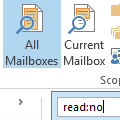
We are often asked how to create a single search folder to display all unread email across all email folders:I have several Inboxes and many more sub-folders in Outlook. I would love to be able to highlight each email account and easily scan through them all by just looking to see if I have any unread emails.There are two ways to do this in Outlook 2010 and Outlook … [Read more...] about Tip 966: View all Unread Mail from all Inboxes
Tip 965: Changing Outlook 2010's Conversation View Message Order
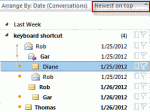
Why is the default message view showing the latest message first? For example, when I click on the conversation and it states 'Latest message shown. Click to view earlier items.' How can I change this? Isn't it more logical to show the first message in the thread, not the last? Surely it is more common to start reading a conversation at the beginning? Is this configurable? … [Read more...] about Tip 965: Changing Outlook 2010's Conversation View Message Order
Tip 964: Managing "old" email accounts
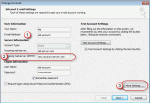
A visitor had a question about how to forward mail from an old account to another account. This is a fairly common question that comes up when people leave their employer, graduate, switch to a new ISP, or decide to make their life easier by using fewer email addresses. I have an email account I no longer use. I may still receive emails to that account for a few months. Can … [Read more...] about Tip 964: Managing "old" email accounts