![Diane Poremsky [Outlook MVP]](http://www.outlook-tips.net/images/2014/MVP_BlueOnly.png)
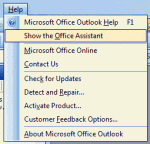
Installing Office 2003 on Windows 7/8 and enabling the Office Assistant will result in this error:The Office Assistant requires Microsoft Agent 2.0 or later versions. This product is available in the Office System Pack.Because Agent is not included in Windows 7, anyone who tries to use the Office Assistant will receive this error. The solution is to not use the … [Read more...] about Office Assistant requires Microsoft Agent error
errors
How to clean up Outlook's Forms Cache
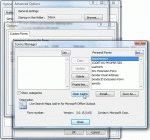
When you receive the message The form required to view this message cannot be displayed. Contact your administrator It usually means that you need to clean Outlook's forms cache. To clear the forms cache, follow these steps: Go to Tools menu, Options. Click the Other tab, and then Advanced Options. Click Custom Forms. Click Manage Forms. Click Clear Cache. … [Read more...] about How to clean up Outlook's Forms Cache
Outlook 2000 on Windows 7: Missing WAB.dll

Outlook 2000 in Internet Only mode errors on Vista and Windows 7 because the WAB (Windows Address Book) it uses for its address book is missing. You can try copying the WAB.dll and registering it. This will fix one error but you may have other issues. Browse to C:\Program Files\Common Files\System (on your Vista or Windows 7 computer) and copy wab32.dll and wab32res.dll … [Read more...] about Outlook 2000 on Windows 7: Missing WAB.dll
Tip 723: Don't use Compatibility Mode
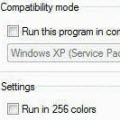
We're seeing more and more errors caused by compatibility mode. I couldn't understand why users were even touching the compatibility mode settings until someone said they ran the Troubleshoot Compatibility utility in Windows and IT made the changes. Yikes.When you right click on the application shortcut, one of the options is Troubleshoot compatibility. DO NOT use this. … [Read more...] about Tip 723: Don't use Compatibility Mode
Tip 677: Error: Can’t create work file
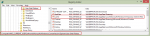
We’re seeing more complaints that Outlook reports this error: “Outlook could not create the work file. Check the temp environment variable.” In many cases, this happens after an upgrade.This error is the result of a corrupted temporary internet cache variable, possibly caused by the upgrading the OS or using Easy Transfer to move settings to a new computer.Fixing it is fairly … [Read more...] about Tip 677: Error: Can’t create work file