![Diane Poremsky [Outlook MVP]](http://www.outlook-tips.net/images/2014/MVP_BlueOnly.png)
So you got a new netbook or laptop but it doesn't have a CD/DVD drive. How will you get Outlook installed? And, really, is it worth installing a memory-pig like Outlook on a netbook? Yes, in my opinion, if you use Outlook on your desktop, its worth installing it on the netbook or laptop too. You might want to use a custom install and only install the parts of the Office … [Read more...] about How to install Outlook on a Netbook
outlook
Tip 933: Display the Total Number of Members in a Contact Group
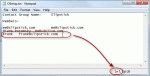
A user wanted to know if Outlook can display the total count of members of a Contact Group (distribution list). Yes, this is possible. Open the Contact Group and click Forward > In Internet Format. This creates a new message with the contents of the DL in a text file. Double click on the attachment (named "group_name.txt") to open the file then go to the View menu, … [Read more...] about Tip 933: Display the Total Number of Members in a Contact Group
Tip 928: Move Outlook's Calendar into Windows Live Calendar
This question came up recently: "I have Birthdays and other appointments in my Outlook calendar and I can't figure out how to import them into Windows Live Calendar. I have the Outlook Connector installed. I would like the info on my Windows Mobile 7 phone." This is actually easy. To copy (or move) the appointments from your current Outlook calendar to the Hotmail … [Read more...] about Tip 928: Move Outlook's Calendar into Windows Live Calendar
Tip 925: Outlook and iCloud Headaches
I'm hearing from a lot of people who are having issues with Outlook and iCloud integration. Some of the problems are to be expected: rather than syncing your existing data files as iTunes did, iCloud creates a new data file in Outlook and moves your appointments and contacts to it. This seems to create a lot of confusion when the to-do bar is suddenly bare and calendar and … [Read more...] about Tip 925: Outlook and iCloud Headaches
Tip 923: How to Open Outlook's Email Properties Dialog
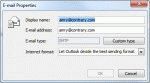
An administrator wanted to know how to open the Email Properties dialog: In outlook 2007 I double clicked the email address once Outlook had underlined it in the To field, then the email properties box opens and I could change the email type to Internet Type. But in outlook 2010 that feature is not there.It's there, its just harder to find in Outlook 2010 and above and … [Read more...] about Tip 923: How to Open Outlook's Email Properties Dialog