![Diane Poremsky [Outlook MVP]](http://www.outlook-tips.net/images/2014/MVP_BlueOnly.png)
A user asks: "When I set a flag for a sent item it does not show up in my reminders dialogue box however my received e-mails do when I set a flag. Am I doing something wrong?" Flags only fire from default folders - Inbox, Calendars, Contacts, Tasks etc. Flags in any other folder won't fire unless you use Reminder manager from www.slovaktech.com. You can not set Quick … [Read more...] about Tip 290: Flags and Reminders
reminders
Find Dismissed Reminders
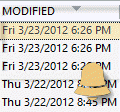
What if you used the last tip to dismiss reminders and discover you needed some of the reminders left on?Unfortunately, Outlook doesn't have an easy way of showing you what reminders were dismissed. You can create a view that includes the modified field, then sort or filter by it to see when the items were dismissed. It's not 100% accurate as many things can modify the … [Read more...] about Find Dismissed Reminders
Tip 200: Reminders in Subfolders
While we're on the subject of Reminders, let me remind you that they only trigger if the item is the one of Outlook's default folders. This means if you use subfolders, reminders on items in those folders won't work. Not all is lost, you can use one of the two reminders utilities at //www.slovaktech.com to trigger them. Extended Reminders … [Read more...] about Tip 200: Reminders in Subfolders