![Diane Poremsky [Outlook MVP]](http://www.outlook-tips.net/images/2014/MVP_BlueOnly.png)
This is a Windows tip, not Outlook, but it’s asked often enough in Outlook forums that its worth putting in a tip. The problem goes something like this: “I’m having problems opening attachments. They open with [some program I don’t like]. How do I make them open in a program I like?” Locate a file of the affected type in your My Documents folder (save the attachment to … [Read more...] about Tip 582: Open With…
Tips Archive
Tip 580: PST Folder Size
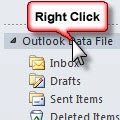
Want to check the size of the folders in your PST? Right click on the top level folder (where Outlook Today is) and choose Properties (or Data File Properties in newer versions of Outlook, then click the Folder size button. This will give you a clue as to how big each folder is (in KB). … [Read more...] about Tip 580: PST Folder Size
Tip 579: Appointment times randomly move
We're seeing complaints about Outlook adding (or subtracting) 2 - 8 minutes to new appointments. For example, if an appointment is created for 10:00 to 11:00 AM, it's changed to 10:02 to 11:02 AM. Users may also receive an error message that the message is not recurring and they need to close all open items. This is not a bug in Outlook, its caused by the anti-spam module … [Read more...] about Tip 579: Appointment times randomly move
Tip 578: Using the Run Command
If you’re told to type a command in the “Start, Run dialog” and its not on your Vista start menu, you can type run in the Start Search field to … [Read more...] about Tip 578: Using the Run Command
Tip 577: Custom Views
If you show the Advanced toolbar (View, Toolbars) you can easily change views on Outlook’s folders. You can even save new views by typing over the name of the current view in the Current View field. After you hit Enter or tab out of the field, Outlook will ask you if the new view is for this folder only, all folders, or shared. To delete views from the list, scroll to the … [Read more...] about Tip 577: Custom Views