![Diane Poremsky [Outlook MVP]](http://www.outlook-tips.net/images/2014/MVP_BlueOnly.png)
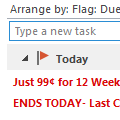
An Outlook user had a question about the Task List that appears at the bottom of the Day or Week calendar view:I would like to see more columns (e.g. task priority) in the task section of calendar view (in e.g. weekly view mode) and sort the tasks in that list (e.g. by priority). Currently you can drag and drop to sort the order, but that's not much use if you can't see the … [Read more...] about Sorting the Task List in Outlook’s Calendar
Tips Archive
Remove Peeks from the Navigation list
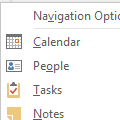
How do turn off the "peek" at the bottom of Outlook 2013? I don’t want the pop up window to pop up when i move the cursor over the Calendar, Mail, Tasks and People icons. It’s very annoying.Sorry, you can’t disable it or change a setting so the peek only displays if you hover longer. I think it’s a little better if you don’t use the Compact navigation, but it takes up more … [Read more...] about Remove Peeks from the Navigation list
Settings don't stick when you click Cancel
From the “I never would have guessed this in a million years” file.Every now and again, there are problems so obscure that only someone experiencing it would be able to figure it out. This was one of those problems.Why do I have to clear "leave a copy of message on the server" every time I start Outlook? It works fine, once I uncheck the button, and all emails are … [Read more...] about Settings don't stick when you click Cancel
Drag and Drop Email in the Calendar to Create Appointments
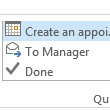
An Outlook 2013 user asked this question recently:In Outlook 2010 I often drag and drop emails to a certain date in the calendar to-do pane. In Outlook 2013 I am not able to do that. How come?When Microsoft replaced the To-do Bar with the Peeks, they used a different navigation calendar control and it does not support drag and drop.You can't drag to the navigation … [Read more...] about Drag and Drop Email in the Calendar to Create Appointments
Setting a fixed Column Width in Outlook
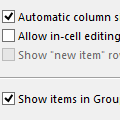
Sometimes when I slide the width of the columns (from, to, date, etc) all of the individual column widths are stretched. Sometimes they are fixed width - I want that because when they stretch I need to resize all of the columns. How can I force a fixed width? Selecting fixed width in View Settings doesn’t do it.Open View Settings, Other Settings and uncheck Automatic … [Read more...] about Setting a fixed Column Width in Outlook