![Diane Poremsky [Outlook MVP]](http://www.outlook-tips.net/images/2014/MVP_BlueOnly.png)
If you need to easily see when a new message arrives, even from across the room, you can set up a rule to pop up a dialog box on the screen. Like all rules, you can set conditions so it only applies to specific messages or apply it to all messages. Go to Tools, Rules & Alerts and choose Create a new blank rule - no conditions if you want it to apply to all messages - then … [Read more...] about Tip 423: Visible New Message Alert
Tips Archive
Tip 422: Set Mailbox Rights
Do you need add a security group to everyone's Outlook calendar, and give that group specific rights? Use the free PFDavAdmin tool from Microsoft. It can manage mailbox folder permissions, as well as public folder permissions. Microsoft Exchange Server Public Folder DAV-based Administration … [Read more...] about Tip 422: Set Mailbox Rights
Tip 420: Search Folder Questions
Do search folders use much space? No. They are just virtual folders with pointers to the original messages. Each folder uses minimal space for the index and won't affect the size of your mailbox or PST. Why do some of my folders stop working? If a folder is not used (opened) at least once every seven days, it stops indexing until its used again. … [Read more...] about Tip 420: Search Folder Questions
Signature Spell check
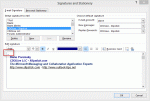
A reader had a problem with their signature:Sometimes Outlook 2007 thinks part of my message is part of my signature and no spelling check is done. How can I tell Outlook to change a section from signature to normal? Right clicking always shows me all my possible signatures and never the spelling mistakes. If I copy and paste, Outlook still thinks it is the signature. I … [Read more...] about Signature Spell check
Tip 418: Hotmail in Outlook

Great news for all Hotmail users. Microsoft will be making the Outlook Connector available with all accounts, not just the paid subscriptions. (Links to the current version of the Microsoft Office Outlook Connector are in the right sidebar.)Paul asks:"I've never paid for a Hotmail account but I have always been able to access mine through Outlook. So my question... … [Read more...] about Tip 418: Hotmail in Outlook