![Diane Poremsky [Outlook MVP]](http://www.outlook-tips.net/images/2014/MVP_BlueOnly.png)
There are daylight time changes coming in mid March and unless you update your system, your computer time will be wrong and once you do, appointments falling in the affected periods will be off an hour (Mar 11 - Apr 1 and the first week of Nov). Windows update will install a patch that reflects the new daylight times, but only on Windows XP and 2003 systems. Users of older … [Read more...] about Tip 396: Daylight Time Updates
Tips Archive
Tip 395: Hotmail\MSN Password Problems
If you are using Outlook 2003 to access your Hotmail account using the HTTP protocol and it keeps asking for your password over and over, and recently upgraded to Internet Explorer version 7, you need to see KB article 904942 and install an update to fix it. Note that at this time automatic updates does not seem to be pushing this fix down, you'll need to download and install … [Read more...] about Tip 395: Hotmail\MSN Password Problems
Tip 394: Tweaks and Unintended Consequences
The rules of unintended consequences often apply to tweaks to the operating system, negatively affecting how Outlook works, as an Outlook user discovered recently:I had to reformat my HD, clean installed XP Home SP2 and reinstall Office XP SP3 with all updates to everything. Whenever I try to create an appointment when the date or time drop down is clicked, it disappears … [Read more...] about Tip 394: Tweaks and Unintended Consequences
Tip 392: Mail Merge Attachments
According to a popular Office "expert" it is possible to include an attachment in a mail merge but recipients might have problems opening them, due to security issues. Unfortunately, the expert is wrong. Yes, the recipient will be unable to open the attachment, but not because they fear viruses. Mail merge doesn't support attachments - if you add one, it's sent as an picture of … [Read more...] about Tip 392: Mail Merge Attachments
Tip 391: How to keep Outlook's Calendars Selected
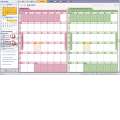
Are you annoyed because Outlook 2003 doesn't remember which calendars you had selected? Public Calendar Choice for Outlook is a freeware tool for Outlook 2003 and Outlook 2007 that will keep your preferred calendars selected. Public Calendar Choice for Outlook With Public Calendar, you won't need to deselect the default calendar and select the desired calendar(s). … [Read more...] about Tip 391: How to keep Outlook's Calendars Selected