![Diane Poremsky [Outlook MVP]](http://www.outlook-tips.net/images/2014/MVP_BlueOnly.png)
Would you like to see 6 weeks in the Calendar's month view? Drag your mouse across 6 weeks in the navigation calendars. (It's easier if you have 2 or more months of navigation calendars showing). You can also use this method to workaround Outlook's inability to put the current week at the top of the screen by selecting "this week" as the first week in the selection. … [Read more...] about Tip 377: Viewing 6 Weeks
Tips Archive
Tip 376: Outlook 2007: Calendar Printing Assistant

The Calendar Printing Assistant for Outlook 2007 allows you to print and customize your Outlook 2007 calendar information. It includes many often-requested printing options, including multiple calendars in one view and customizations such as fonts, colors and images. It includes ready to use templates. Download it from Calendar Printing Assistant for Outlook This utility is … [Read more...] about Tip 376: Outlook 2007: Calendar Printing Assistant
Tip 375: Outlook 2007 (and 2010): Contact Linking
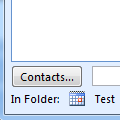
In previous versions of Outlook, most forms had a field on the lower right called Contacts which you could use to link a contact to an item which would then show up on the Activities tab. You either used this feature, or you didn't and for those who use it, Outlook 2007 hides it by default.To enable it, go to Tools, Options, Contacts Options button and add a check to the … [Read more...] about Tip 375: Outlook 2007 (and 2010): Contact Linking
Outlook's Reply to All includes my own address
Outlook Tip 374: Reply to AllTravis had this question: I was wondering; is there a way to automatically strip your own email address when doing a "Reply All." Seems every time I get an email sent to me and someone else a Reply All always wants to send me a copy of the message I'm composing. This should only happen with Outlook 2002 and previous versions, and only when you … [Read more...] about Outlook's Reply to All includes my own address
Tip 373: Filters and the From Field
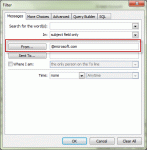
If you ever tried to create a filter using the From fields, you probably discovered it's weird and doesn't seem to work as expected. This is because there are two fields labeled "From" on the Filter dialog and each one is linked to a different From field.When you create a View, Search Folder, or Advanced Find , you choose your criteria for the filter. The first tab, called … [Read more...] about Tip 373: Filters and the From Field