![Diane Poremsky [Outlook MVP]](http://www.outlook-tips.net/images/2014/MVP_BlueOnly.png)
Outlook Express's best feature was that EVERYTHING went into the outbox and stayed there until you hit send/receive. That way, you had a chance to think before the message was actually sent, and time to correct or delete it. How do I make Outlook do the same?You can configure Outlook so that it does not Send Immediately, then it will work just like OE did.Go to … [Read more...] about Manually Send and Receive in Outlook
Tips Archive
Reordering Folders in Outlook 2013

Can I rearrange the default folders (e.g., Outbox, Sent Items, Calendar) in Outlook 2013's Navigation Pane?Yes, the ability to change the sort order of folders in the Navigation Pane or folder list is new to Outlook 2013. You can sort folders alphabetically or arrange them in any order. This works with both the default folders and any user-created folders.Look on the … [Read more...] about Reordering Folders in Outlook 2013
Changing the date of a recurring appointment
A problem arises when I attempt to change the date of a recurring appointment from, say 25th to 26th of each month. I’m unable to find a place where I can edit the actual ‘date or time’ of the appointment. If you are changing just one occurrence, use a day or week view and drag the occurrence to a new time or date and time. A warning message will come up, telling you the date … [Read more...] about Changing the date of a recurring appointment
Tip 1134: Find the Email Address Properties dialog in Outlook 2013
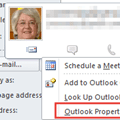
In older versions of Outlook, you could click on a Contact’s email address to bring up a dialog that allowed you to always use Rich Text format, Plain Text format, or to let Outlook decide the best format when sending email or meeting and task requests to the address.In really old versions Outlook, double clicking on an email address brought up the dialog, while in … [Read more...] about Tip 1134: Find the Email Address Properties dialog in Outlook 2013
Tip 1133: How to export 6 months of email to a PST file
This question came from an Exchange administrator but a filtered export is possible in with all email account types and all versions of Outlook. Is there a way in Outlook 2013 to export only the last 6 months’ worth of mail? We are on a hosted Exchange solution with Office 365. Yes, there is a way to do this in Outlook. Outlook uses the same filter dialog for … [Read more...] about Tip 1133: How to export 6 months of email to a PST file