![Diane Poremsky [Outlook MVP]](http://www.outlook-tips.net/images/2014/MVP_BlueOnly.png)
Many users are confused by the message Outlook displays when they attempt to use IE's File, Send link to menu option. It says "Outlook blocked access to the following potentially unsafe attachments: filename.url." and they think Outlook is not going to send the attachment. What the warning message doesn't say is that Outlook will include the attachment when they send the … [Read more...] about Tip 122: Outlook Blocked Access
Tips Archive
Tip 121: Bolded Dates
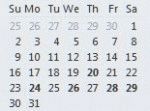
A question that comes up often is why Outlook's calendar doesn't mark all dates that contain appointments in bold in the small thumbnail calendars.This tip applies to Outlook 2010 and older. The To-Do bar in Outlook 2013 and up doesn't use bolded dates; only the thumbnail calendar in the Calendar navigation pane has bolded dates. Outlook bolds the dates that contain … [Read more...] about Tip 121: Bolded Dates
Tip 120: NNTP Service in Outlook
Two recent Outlook addins join NewsGator as solutions to everyone's favorite request: Newsgroups in Outlook. Mapilab's released an alpha version of an NNTP transport, you can find it at //www.mapilab.com/outlook/nntp/. A competing project is NewsLook. Unlike Mapilab's version, NewsLook uses CDO to create the messages. Many of the posts I made this morning (4/13/2004) … [Read more...] about Tip 120: NNTP Service in Outlook
Tip 118: Error Reporting
Many Microsoft programs have error reporting built in and when an error occurs, you're asked if you want to the report back to Microsoft. You should always answer yes, even if you think the error is the same as one you previously sent back. Remember: Microsoft doesn't collect any personally identifiable information and the information contained in the reports helps them to … [Read more...] about Tip 118: Error Reporting
Tip 117: Was it helpful?
When you are visiting the Microsoft website or using the Help files in Office 2003 and are asked if the information is helpful, always answer Yes or No. When you answer No, please tell Microsoft why it wasn't helpful so they can improve the Help files or website for others. If you include your email address, they might even contact you for additional information. … [Read more...] about Tip 117: Was it helpful?