![Diane Poremsky [Outlook MVP]](http://www.outlook-tips.net/images/2014/MVP_BlueOnly.png)

This question comes from a new Windows 8 user:I'm using Windows 8 and my attachments open at full screen. What is wrong?Windows 8 includes default apps, such as for viewing images and videos, reading PDF files, etc. Unlike the traditional desktop applications (which are also included in Windows 8 Pro), the apps open the attachment only at full screen.To close an … [Read more...] about Tip 1105: Attachments are opening in full screen
Tips Archive
Missing your Outlook 2013 navigation pane?

Official Response and explanation from Microsoft: Outlook 2013 Folder Pane Disappears After Installing September 2013 Public Update If you lost your navigation pane after installing the September patches, you'll get it back after you install the August 13 2013 hotfix. Read about the hotfix at Description of the Outlook 2013 hotfix package (Outlook-x-none.msp): August … [Read more...] about Missing your Outlook 2013 navigation pane?
Tip 1104: How to create "Not" rules
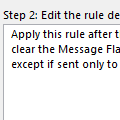
Outlook's rules are great... well, maybe good. Or just OK... I don't deny that there is room for improvement, but you can do a lot with the rules that are available. One frequent question is how to create a NOT rule - how to apply a rule to all mail that doesn't meet a condition. My Outlook provides a condition "sent only to me". I need the exact opposite condition, i.e. "NOT … [Read more...] about Tip 1104: How to create "Not" rules
Tip 1103: Mix overlay and side by side calendars

This question came from a user with multiple calendars:We use an outsourced tracking system that allows us to link an Outlook calendar to a website to show the tracking schedule. As such my "standard" Calendar view is my main calendar, and my tracking calendar overlaid on top of one another. If I need to open a 3rd calendar, it opens in the overlay view, which is cluttered … [Read more...] about Tip 1103: Mix overlay and side by side calendars
Tip 1102: Move EAS and IMAP .ost files
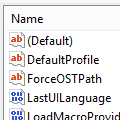
I receive a lot of questions from users who want to move the data files created by EAS (Outlook.com) and IMAP accounts. While you do not need to backup the .ost files, since they contain an offline replica of the mailbox on the server and can only be opened by the account that created the .ost, users with small boot drive may need to move the data files to a larger drive. … [Read more...] about Tip 1102: Move EAS and IMAP .ost files