![Diane Poremsky [Outlook MVP]](http://www.outlook-tips.net/images/2014/MVP_BlueOnly.png)
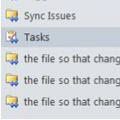
Every now and again we see a complaint that Outlook is creating duplicate folders in the folder list, is creating folders with <0w> in the name, or folders named "the file so that changes to the file will be reflected in your item".Seriously, that is the folder name.Additionally, you may not be able to delete the folders.This problem comes and goes … [Read more...] about Tip 1097: Outlook folders named "the file so that changes to the file will be reflected in your item"
Tips Archive
Tip 1096: Hide Events on your Outlook Calendar
This request came from an Outlook user:Ideally, I would like to be able to right click an event and have an option to "hide this event" from my view. I haven't been able to figure out a way to create a custom view that hides the events I don't want to see without hiding the ones I do need to see.While Outlook doesn't have a right-click > Hide command, you can get … [Read more...] about Tip 1096: Hide Events on your Outlook Calendar
Tip 1095: Add Recent Documents link to Insert File dialog
A user discovered the Recent Documents link is missing from the Insert File dialog:I recently upgraded to Windows 7, replacing Windows XP. When I attached a recent document while in Outlook on Windows XP, I just had to click on the "Attach File" button and select "Recent Documents" to see the documents I recently created and attach them to my email message. I cannot find … [Read more...] about Tip 1095: Add Recent Documents link to Insert File dialog
Tip 1094: iTunes creates ModGrp folders in Outlook

A user had this problem: When I sync my iPod Touch to Outlook 2013 it creates hundreds of additional contact folders, all prefixed with "_ModGrp..." I re-installed Outlook and iTunes but it's still not working correctly. Apple says it is a problem with Outlook and that Outlook 2013 is not compatible with iTunes. It's not Outlook 2013 that is the problem; this has been … [Read more...] about Tip 1094: iTunes creates ModGrp folders in Outlook
Tip 1093: Status Bar View shortcut icons override display settings
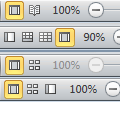
Outlook 2010 and 2013 have View buttons in the Status bar that switch from the "normal" view to a view better suited for reading, with the Navigation Bar, To-Do Bar, and ribbon minimized and a wider reading pane.In Outlook, when I change views using status bar View shortcuts icons, the ribbon is always shown, regardless of if it was shown or hidden. This is annoying if … [Read more...] about Tip 1093: Status Bar View shortcut icons override display settings