![Diane Poremsky [Outlook MVP]](http://www.outlook-tips.net/images/2014/MVP_BlueOnly.png)
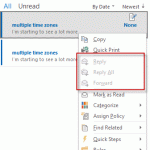
In Outlook 2010, I was able to save a few "template" messages in the draft folder and when I needed to send a message, I could click Forward and kept the original to use later. With Outlook 2013, Forward is disabled. How can I save a copy of my messages?In older versions of Outlook, you could easily use Draft messages as templates, simply select a draft message and … [Read more...] about Tip 1076: How to reuse Draft messages
Tips Archive
Tip 1075: Scanpst.exe in Outlook 2013
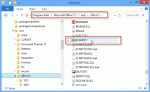
I'm starting to see questions from Outlook 2013 users who are trying to use scanpst and are unable to find it. Scanpst was not removed from Outlook 2013 C2R and you can find it in under the Office installation folders, which are different in the click-to-run versions.When the click to run version is installed, scanpst is under the root directory in the install … [Read more...] about Tip 1075: Scanpst.exe in Outlook 2013
Tip 1074: Microsoft accounts and sharing BCM

When I first started using Windows 8, I didn't think using a "Microsoft account" to log into my computer was such a good idea (and it probably still isn't) but I decided I'd give it a shot, just for a day or two. After using it for a little bit, it became one of my favorite Windows 8 features. I like syncing my desktop with my other computers a lot more than I thought I would. … [Read more...] about Tip 1074: Microsoft accounts and sharing BCM
Tip 1073: Easily disable e-mail accounts
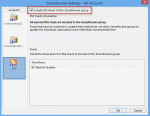
I use Outlook 2010 with multiple e-mail accounts. When I travel, I do not need to download all of the e-mail from all of the accounts. Is there an easy way to disable the e-mail accounts I do not want to collect mail for? Sure. For an occasional trip, open the Send and Receive dialog using Ctrl+Alt+S.Select the Send and Receive group Click Edit Select the … [Read more...] about Tip 1073: Easily disable e-mail accounts
Tip 1072: Enable or disable the Bilingual Dictionary
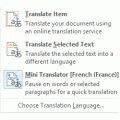
One thing I love about helping people are the chuckles from the creative ways they express their annoyance with Outlook features. I'm a firm believer in laughter is the best medicine and I can count on getting a healthy dose every day. How does one disable the Bilingual dictionary in Outlook 2010? When I hover the mouse over an email message this very aggravating dictionary … [Read more...] about Tip 1072: Enable or disable the Bilingual Dictionary