![Diane Poremsky [Outlook MVP]](http://www.outlook-tips.net/images/2014/MVP_BlueOnly.png)
I'm seeing reports that Outlook 2010 on Windows 8 is very slow to send and receive. It's fine when the computer is first booted, but after several hours it slows appreciably. All of the reports mention Outlook 2010 on Windows 8, but all versions of Outlook may be affected.Outlook works fine in Safe mode. All of the affected users have Norton installed and Outlook works … [Read more...] about Tip 1065: Outlook 2010 & Windows 8 Send/Receive Slow
Tips Archive
Tip 1064: Calendar details printout duplicates appointments
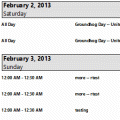
This problem was fixed in one of the July 2013 updates. Verify Office is updated from File, Office Account, Update Options. You should have version 15.0.4535.1511 or higher.Users are discovering that in Outlook 2013, appointments are duplicated when you use the Calendar details style.If you prefer to use the Calendar Printing Assistant for Outlook, it should … [Read more...] about Tip 1064: Calendar details printout duplicates appointments
Tip 1063: Change the Received date format

There are two types of Outlook users: those who like seeing relative dates and those who don't. Jim doesn't like it:I hate this trend of hiding data, using relative dates, etc. None of it works for me at all. Not just annoying, but reduces my efficiency tremendously.I happen to like it, but anyone who doesn't like it can change the format used in the message list. … [Read more...] about Tip 1063: Change the Received date format
Tip 1062: Inserting a picture in an Outlook 2013 email reply
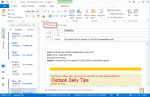
I have Outlook 2013 and can’t figure out how to insert a picture in an email reply. I can insert into a new email but not into a reply. I tried to modify the ribbons to add the command but I can't find the Insert Picture command.When composing replies or forwards in the reading pane, there are limited options available. All of the basic features are available, including … [Read more...] about Tip 1062: Inserting a picture in an Outlook 2013 email reply
Tip 1061: Skype 6 and new mail alerts (Fixed)

Skype is replacing Windows Messenger. Microsoft is pushing everyone to upgrade Messenger to Skype before they pull the plug on Messenger, but Outlook users may want to avoid Skype 6.1... users are reporting that new mail alerts are not working when it's installed.Fixed in Skype 6.2Microsoft is aware of the problem and are investigating.As a workaround, you can … [Read more...] about Tip 1061: Skype 6 and new mail alerts (Fixed)