![Diane Poremsky [Outlook MVP]](http://www.outlook-tips.net/images/2014/MVP_BlueOnly.png)
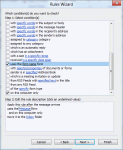
This question comes up a lot: Is it possible to change the default calendar to one different from the data file I have mail delivered to? The reason for asking is almost always the same: a user with an Exchange mailbox is using a PST file as the default delivery location and this means the default calendar is also in the PST file. As a result, the meeting is added … [Read more...] about Tip 962: Change the Default Calendar for Meeting Requests
Tips Archive
Tip 960: (Another) Calendar Printing Bug
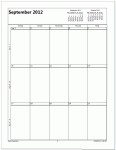
Starting the week on Monday is the cause of this new printing bug. An Outlook 2010 user wanted to print a calendar using the options to print exactly one month per page and to print only the weekdays (Monday - Friday) but with September 2012, the printout included only the first 3 weeks – the last week is missing. The fix: Set the calendar to start on Sunday and the … [Read more...] about Tip 960: (Another) Calendar Printing Bug
Tip 959: Changing the Font used for Outlook's RSS Feeds
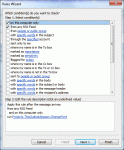
Note: this works only in Outlook 2010 as written, because Outlook 2007 does not support PostItem in Run a Script. We're working on a version for Outlook 2007 that uses ItemAdd handler. We have a code sample that works on RSS feeds delivered to a single folder at Slipstick.com. Today's tip is one that I expect only a few people will care about... heck, it's not something … [Read more...] about Tip 959: Changing the Font used for Outlook's RSS Feeds
Tip 958: Display Task Status in the To-Do Bar
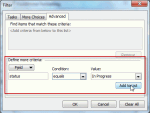
Tasks in the To-Do Bar are the subject of a lot of questions about how to control what tasks are visible. Is it possible to display the Status of a Task as an icon in the To-Do bar? I would like to mark tasks that are currently "Deferred" or "Waiting on someone else", so that one can immediately recognize their Status. Sure. Create a custom view and apply automatic formatting … [Read more...] about Tip 958: Display Task Status in the To-Do Bar
Tip 957: Delete the MRU list in Choose Form dialog
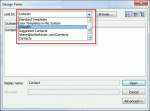
When you work with custom forms, you can eventually have a long list of folder names on the Look in list in the Choose Form dialog. You can clear this list by editing the registry. In the Start menu's Search field or in the Run command (Windows key + R to open Run), type regedit to open the registry editor. Browse to the Office Explorer key then delete the Namespaces … [Read more...] about Tip 957: Delete the MRU list in Choose Form dialog