![Diane Poremsky [Outlook MVP]](http://www.outlook-tips.net/images/2014/MVP_BlueOnly.png)
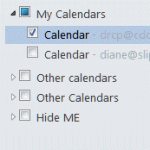
One complaint I get all the time (and often make myself) is about the ridiculous folder clutter on the Contacts and Calendar navigation pane when you have multiple email accounts in your profile.Every account that has it's own data file will have a Contacts and a Suggested Contacts folder. Every Exchange or Hotmail connector account will have it's own Calendar (and often … [Read more...] about Tip 956: Too Many Contact Folders?
Tips Archive
Tip 955: Using Draft Messages in IMAP
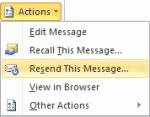
When you subscribe to a IMAP account's drafts folder, it doesn't work "as expected" in Outlook. The messages contained in the folder won't be editable in Outlook because Outlook sees the messages as sent messages, not drafts. Moving the draft messages to Outlook's local drafts folder won't make a difference: Outlook still sees it as a message that was already sent. You can go … [Read more...] about Tip 955: Using Draft Messages in IMAP
Tip 954: Instant Search won't find Notes field in iCloud

Instant Search won't find content in the Notes field in the iCloud folder, but unlike other iCloud issues, this one is very easy to fix - you need to add the Notes field to the view. All was working well for me in the iCloud until I realized that you can't search notes in an Outlook contact if it is in Contacts in iCloud. I have tested this by creating two contacts with … [Read more...] about Tip 954: Instant Search won't find Notes field in iCloud
Tip 953: Using Font Size 11 in Outlook Email
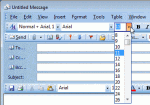
Today's tip is for users with Outlook 2003 or older versions -I want to use 11 pt font and went into Mail Format/Fonts and changed it to 11 pt. Arial. When I create a new email or reply to an email it only shows Arial 12. There is no option for Font 11. How can I fix this.Outlook's native editor uses only even-sized fonts, it does not support odd-sized fonts. If you … [Read more...] about Tip 953: Using Font Size 11 in Outlook Email
Tip 952: Missing Date Picker in Outlook's Print Options Dialog
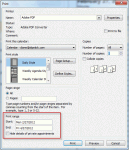
The Print Options dialog in Outlook 2010 does not have date pickers available when selecting a range. I recently was upgraded to Outlook 2010. When I wanted to print a calendar in Outlook, I clicked in the date box and a small calendar would pop up to select the dates from. This has disappeared in Outlook 2010, and now you must remember what dates you want to start and end … [Read more...] about Tip 952: Missing Date Picker in Outlook's Print Options Dialog