![Diane Poremsky [Outlook MVP]](http://www.outlook-tips.net/images/2014/MVP_BlueOnly.png)
Do you need a digital id for signing email? You can get a free digital id (for personal use) at Comodo. Digital ID’s for commercial use are $12/year. Free Certificate from Comodo. Please note that this offer may be withdrawn at any time. At the time of this update (March 2012), the free certificate is valid. Microsoft Office site lists additional certificate providers … [Read more...] about Tip 793: Get a Free Digital ID
Tips Archive
Tip 792: Moving Recurring Appointments
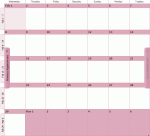
In older versions of Outlook, when you drag a recurring item to a new calendar folder, the recurrence is lost and only the current appointment is moved or copied to the new calendar. When you use a list view (such as By Category) and drag the recurring appointment to the new calendar folder, the recurrences are preserved. This behavior changed in Outlook 2010. … [Read more...] about Tip 792: Moving Recurring Appointments
Tip 791: After AVG update, mail won’t send
We’re seeing a resurgence of a problem with email getting marked as read and not sending. This was a problem several years ago, with most offending add-ins updated to prevent problems. Users are reporting AVG 2011 is causing problems sending mail. The fix is to disable the avgoutlook.Addin. For more information and instructions, see After viewing the Outbox, the … [Read more...] about Tip 791: After AVG update, mail won’t send
Tip 790: Outlook crashes after iTunes update
After updating iTunes, some people are experiencing crashes in Outlook, due to issues with the OutlookChangeNotifier addin. If this happens to you, you need to rename the file. Go to C:\Program Files\Common Files\Apple\Mobile Device Support\Rename OutlookChangeNotifierAddin.dll (add .old to the file name), and Outlook should work again. … [Read more...] about Tip 790: Outlook crashes after iTunes update
Tip 787: Edit and Save Attachments to an email
Outlook has a nifty feature (or design flaw, depending on who you talk to): you can open an attachment and edit it, then save it and the changes save to the original email message. (The feature was removed from Outlook 2010.) You had to work in this order:Open message Open attachment Edit attachment Save and close attachment Save and close message This sounds simple … [Read more...] about Tip 787: Edit and Save Attachments to an email