![Diane Poremsky [Outlook MVP]](http://www.outlook-tips.net/images/2014/MVP_BlueOnly.png)
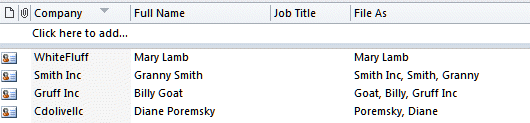
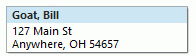
Following up on yesterday’s tip – you need to use File As field, not the Full name field, otherwise you’ll get the field name in the copy (but not on screen). (I double checked the view I use for this purpose to verify the field, but typed Full Name anyway.)
I you’re copying a large number, search and replace can remove the field name or see //www.slipstick.com/contacts/fileas.asp to change the field as field on all contacts at once.
For a step-by-step video tutorial, see
//www.slipstick.com/Tutorials/address/address.htm
Published December 11, 2009. Last updated on September 17, 2011.