![Diane Poremsky [Outlook MVP]](http://www.outlook-tips.net/images/2014/MVP_BlueOnly.png)
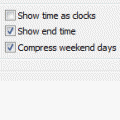
An Outlook user had this to say about the lack of compressed weekends in Outlook 2007: “I am in Month view most of the time. It would make it much easier to distinguish weekdays and weekends in Month view if I could shade weekends in the same manner you shade working hours on a day view. This wasn't necessary in 2003
(and before) because of compressed weekend views. So far I've scheduled appointments on the wrong day 3 times. It's simply easier to know what day I'm scheduling an appointment for with visual cues that segregate week days from weekends. “
Unfortunately, shading or compressed weekends won’t be coming back to Outlook any time soon. One option is to set the calendar to start on Monday – this gives the same effect as compressed weekends – Saturday and Sunday are together at the end of the week. Make this change in Tools, Options, Calendar options, and set the First day of Week to Monday.
Published November 13, 2009. Last updated on June 17, 2011.