![Diane Poremsky [Outlook MVP]](http://www.outlook-tips.net/images/2014/MVP_BlueOnly.png)
We’re seeing a resurgence of a problem with new appointments always appearing on ‘Today’, instead of the day they are supposed to be on, which means it’s probably time to rerun this tip.
The complaint goes like this:
When i make an appointment it is saving it to the current day. How do i get my appointments to save on the day that I want?
This indicates the view is corrupt and to fix it you need to reset the view.
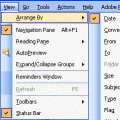
In the Day/Week/Month view, look for the Customize view command on the Views menu – it’s under the Current view menu.
You could close Outlook and restart it using the /cleanviews switch, but this is usually overkill for this problem as it wipes out all custom views. If resetting the calendar’s view doesn’t fix it, then use the /cleanviews switch.
See How to reset Outlook views for more detailed instructions for resetting the view.
Published September 8, 2009. Last updated on May 8, 2014.