![Diane Poremsky [Outlook MVP]](http://www.outlook-tips.net/images/2014/MVP_BlueOnly.png)
An Outlook user asks “Is there some way to configure Outlook where the only emails that come to my inbox are from those people in my address book and messages from people not in my address book go to a "trash" folder for me to look at later?”
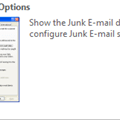
Yes, you can filter email from people in your address book and place all other messages in a junk email folder. It's one of the junk email options in Outlook 2003 and 2007. Look at Tools, Options, Junk email. You can also use rules with the condition of 'sender is in a specific address book' to move messages all messages to the junk email folder except if from a person in the address book.
Published March 21, 2008. Last updated on June 17, 2011.