![Diane Poremsky [Outlook MVP]](http://www.outlook-tips.net/images/2014/MVP_BlueOnly.png)
Merged Tip 805: Numbers following folder names
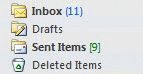 Outlook 2003 (and up) gives you the option to show total number of messages in the folder in green brackets "[9]" and unread message count shown in blue parenthesis "(11)".
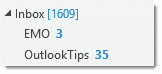 In Outlook 2013 the design changed a bit. Both unread and total message counts are blue, with total message counts in blue brackets [1609] and unread message counts displayed with bold formatting 35.
Any folder type can contain unread messages. When it's a calendar folder, it's usually because there are meeeting requests on the calendar. Right click on the folder and choose Mark All as Read or search the folder for unread items if you want to look at the unread items before marking them read.
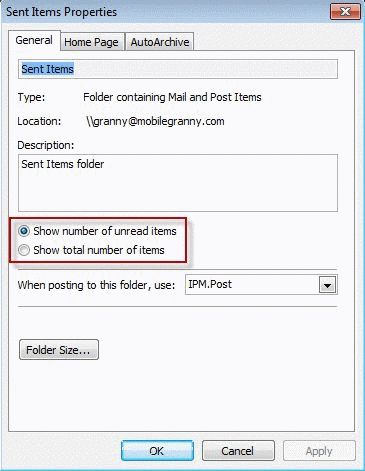
You can change this by right-clicking on the folder in the folder list and choosing Properties. Select which number to display from the General tab.
Published December 9, 2003. Last updated on May 16, 2013.