![Diane Poremsky [Outlook MVP]](http://www.outlook-tips.net/images/2014/MVP_BlueOnly.png)
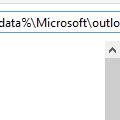
Are you having problems printing from Outlook? Try deleting the OutlPrnt file - it's kept in C:\Users\%username%\AppData\Roaming\Microsoft\Outlook in Windows 7 and newer. This file holds information about print configurations and customizations.You can jump to the folder where OutlPrnt is, open Windows Explorer then type or paste %appdata%\Microsoft\outlook into the … [Read more...] about Can't Print in Outlook?
error
Tip 1094: iTunes creates ModGrp folders in Outlook

A user had this problem: When I sync my iPod Touch to Outlook 2013 it creates hundreds of additional contact folders, all prefixed with "_ModGrp..." I re-installed Outlook and iTunes but it's still not working correctly. Apple says it is a problem with Outlook and that Outlook 2013 is not compatible with iTunes. It's not Outlook 2013 that is the problem; this has been … [Read more...] about Tip 1094: iTunes creates ModGrp folders in Outlook
Tip 1048: 'Too many devices' error with Hotmail and Outlook.com accounts
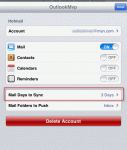
Some Hotmail and Outlook.com users who have their accounts configured in Outlook 2013 are receiving an error message saying that there are too many devices connected:There are too many devices syncing with this account. To sync using Outlook, try removing another device that is connected with this account such as a phone or another computer.This error is caused by … [Read more...] about Tip 1048: 'Too many devices' error with Hotmail and Outlook.com accounts
Tip 973: Outlook continues to access a folder after attaching a file
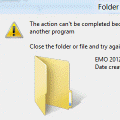
We've all ran into this problem at least once or twice: After you save a message or attachment to a folder on your hard drive, or attach a file to an Outlook email message, you can't move, delete, or rename the Windows folder the file is stored in. When you try to move, delete, or rename the folder, you receive an error message telling you the file is being used by another … [Read more...] about Tip 973: Outlook continues to access a folder after attaching a file
Tip 769: Crash on Reply or Forward
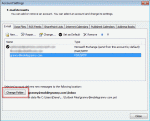
I’ve heard a lot of complaints about Outlook 2010 crashing on a reply or forward. This is caused by not having a folder set as the default delivery location for the account.With Outlook closed, go to Control panel, Mail and select Show Profiles.Select your profile and click Properties button, then E-mail Accounts.On the E-mail tab, select your POP3 account, and … [Read more...] about Tip 769: Crash on Reply or Forward