![Diane Poremsky [Outlook MVP]](http://www.outlook-tips.net/images/2014/MVP_BlueOnly.png)
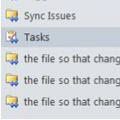
Every now and again we see a complaint that Outlook is creating duplicate folders in the folder list, is creating folders with <0w> in the name, or folders named "the file so that changes to the file will be reflected in your item".Seriously, that is the folder name.Additionally, you may not be able to delete the folders.This problem comes and goes … [Read more...] about Tip 1097: Outlook folders named "the file so that changes to the file will be reflected in your item"
folders
Tip 956: Too Many Contact Folders?
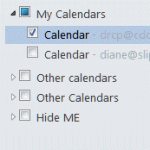
One complaint I get all the time (and often make myself) is about the ridiculous folder clutter on the Contacts and Calendar navigation pane when you have multiple email accounts in your profile.Every account that has it's own data file will have a Contacts and a Suggested Contacts folder. Every Exchange or Hotmail connector account will have it's own Calendar (and often … [Read more...] about Tip 956: Too Many Contact Folders?
Tip 920: What is "Clean Up Folder"?
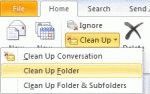
An Outlook 2010 user wondered what Clean Up folder does: What is "Clean Up Folder" and how does it compare to "Empty Folder"? Empty Folder empties the folder (Deleted Items and Junk email), with the messages permanently deleted. You cannot easily recover them. Clean up Folder moves all redundant messages in the current folder to the designated "Cleanup" folder. These … [Read more...] about Tip 920: What is "Clean Up Folder"?
Tip 907: Rules and Expanding Folders
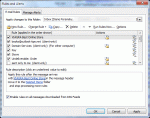
A user recently switched from POP to Exchange Server. When accessing his email in Outlook via POP, a folder would autoexpand whenever a subfolder received new message. However this does not happen with his Exchange account. "How can I get the subfolders to autoexpand when a new message arrives in one of these subfolders?" Sorry, you can't force it. The folders either expand … [Read more...] about Tip 907: Rules and Expanding Folders
How to bulk move Outlook folders
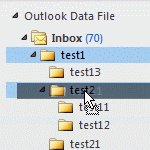
The question of how to "bulk move" folders in Microsoft Outlook comes up often and the answer is that it's surprisingly easy to do with drag and drop: select the folder and drag (or right click, drag and drop to copy the folder). If the folder contains subfolders, they (and their contents) are moved too.Drag and drop is not as quick as selecting folders and moving could be, … [Read more...] about How to bulk move Outlook folders