![Diane Poremsky [Outlook MVP]](http://www.outlook-tips.net/images/2014/MVP_BlueOnly.png)
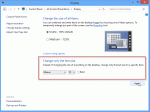
This tip is specific to Windows 8. The only way to change the font sizes in Windows 10 is by increasing the display %.This tip comes from Cowboy:As we all know, Microsoft removed the ability to change the font and font size in the Outlook 2013 folder list. But all is not lost. For those people with high resolution monitors and/or poor vision there is something we can … [Read more...] about Tip 1068: Change the size of the font in Outlook's Folder list
font
Tip 959: Changing the Font used for Outlook's RSS Feeds
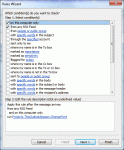
Note: this works only in Outlook 2010 as written, because Outlook 2007 does not support PostItem in Run a Script. We're working on a version for Outlook 2007 that uses ItemAdd handler. We have a code sample that works on RSS feeds delivered to a single folder at Slipstick.com. Today's tip is one that I expect only a few people will care about... heck, it's not something … [Read more...] about Tip 959: Changing the Font used for Outlook's RSS Feeds
Tip 922: Changing the Navigation Pane Font

Many users have a hard time seeing the account names in the Navigation pane folder list - regardless of the Office theme, the font is too small and lacks contrast to read it easily. Brad had this to say It's very difficult to see the names of my Inboxes in Outlook 2010. I found an option under the General tab to change the color scheme to blue, silver or black. In all of … [Read more...] about Tip 922: Changing the Navigation Pane Font